CreamSoda
Pricing
Resources
Pricing

Sales collaboration software for B2B product teams

Keep deals moving when work changes hands.

A buyer calls while the account owner is away. Can someone else answer with confidence? CreamSoda keeps deal ownership, customer activity, product offers and next tasks together so authorized teammates can pick up the conversation without starting over.

What your team can do

See your team's active deals

Use Team View to see deals owned by you or teammates you manage.

Make account ownership clear

Assign an owner to a person, company or deal so responsibility is visible.

Bring colleagues into the record

Use followers and visibility settings to share relevant activity with the right people.

Keep customer context close

Review linked emails, notes, tasks and files before responding.

Assign a real next step

Create tasks with an owner and due date instead of relying on an informal handoff.

Coordinate calls and meetings

Schedule customer meetings on the related record and connect your calendar when configured.

Trigger the handoff

Set a workflow to assign a task or send an email when a deal reaches a chosen stage.
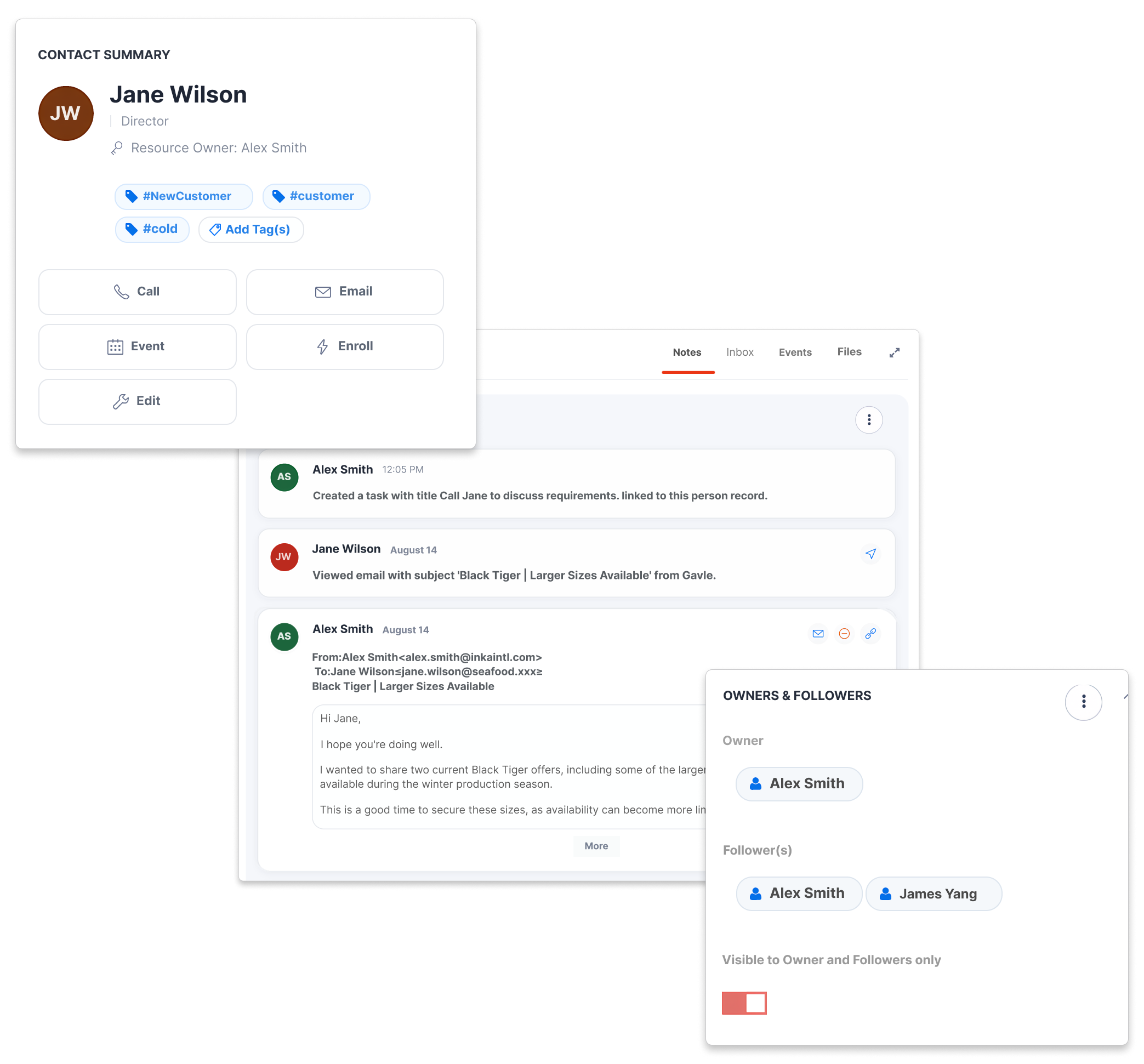
CreamSoda customer record showing an owner, followers, notes and email activity

Cover a customer without losing the thread

What happens when the account owner is away?
A colleague should not have to search personal inboxes for the last offer or delivery promise. Open the authorized customer or deal record to see recent activity, linked documents and the next action before speaking to the buyer.

Review the recent conversation

See notes, email activity and meetings linked to the record.

Check the commercial context

Open the related offer and deal before quoting a price or date.

Continue the next step

See the assigned task and follow up from the same record.

Make responsibility visible to the whole team

Who owns this buyer—and who can step in?
Assign owners to customers and deals, then use followers and visibility controls to involve the right colleagues. Managers can review work across their teams without treating every relationship as a shared inbox.

Name the account owner

Keep the primary relationship owner clear on the record.

Add the right followers

Let permitted colleagues follow relevant activity and updates.

Respect sensitive access

Use record visibility settings when a customer or deal should stay restricted.
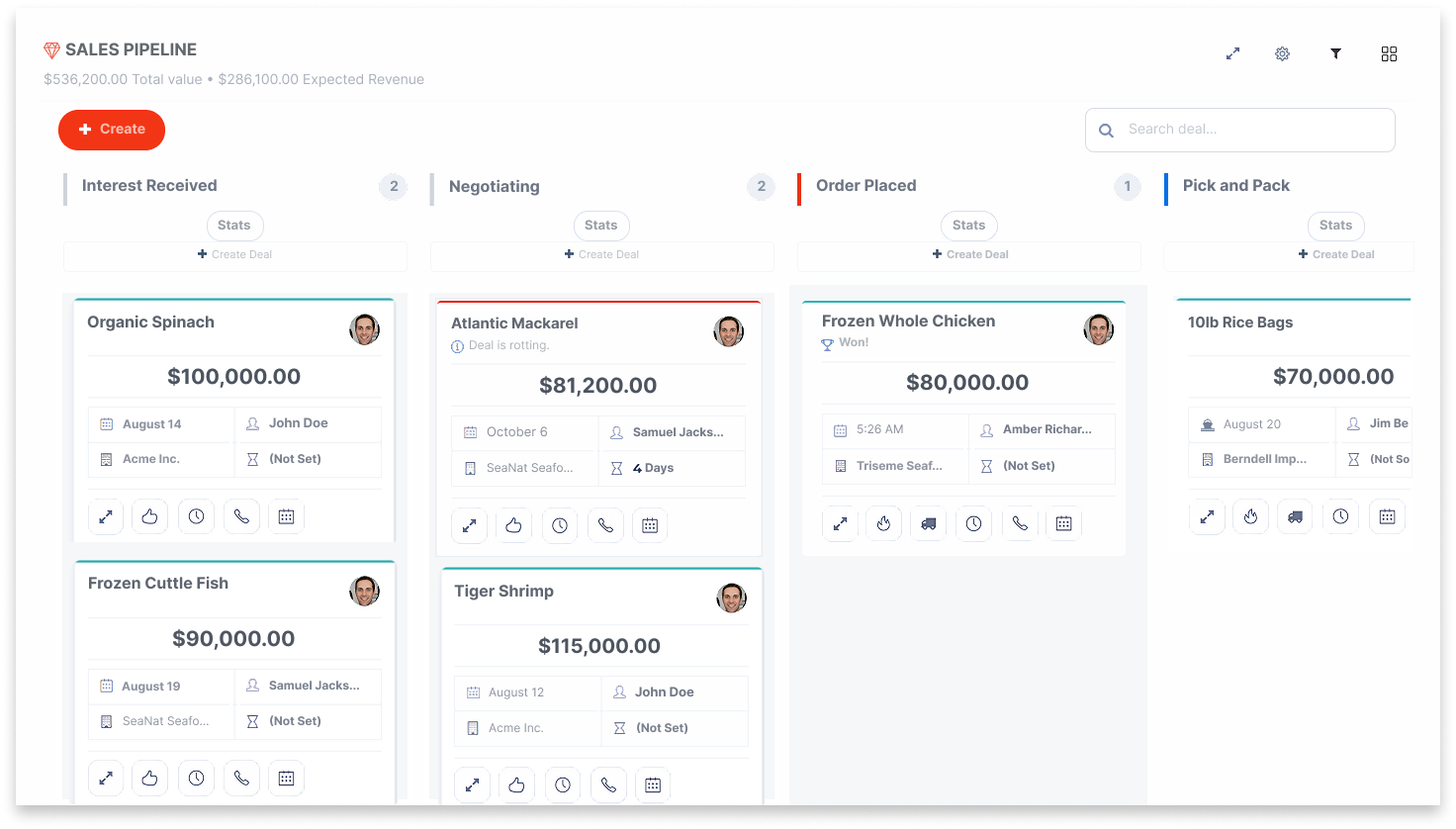
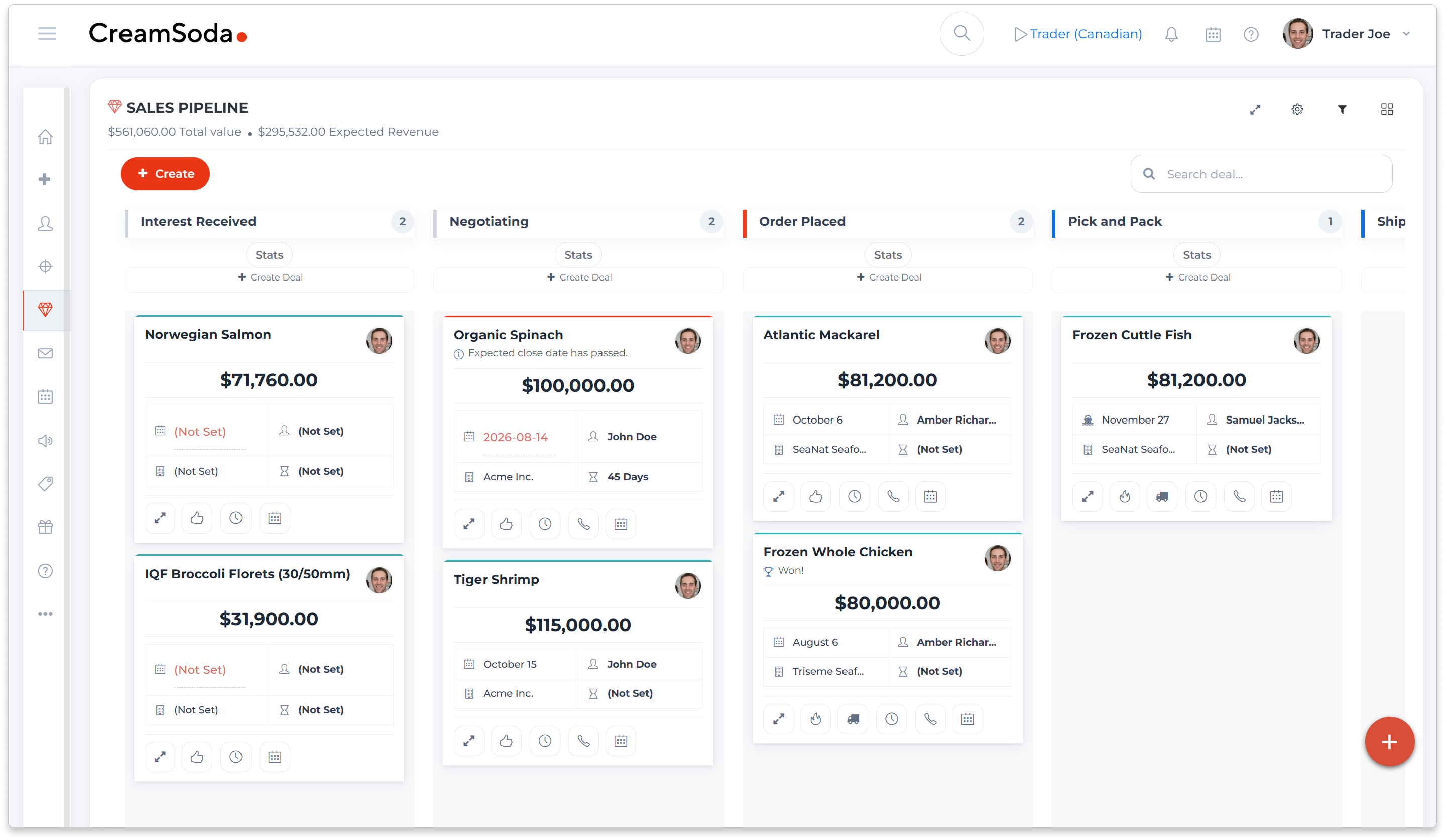
CreamSoda sales pipeline showing product deals, stages and deal owners
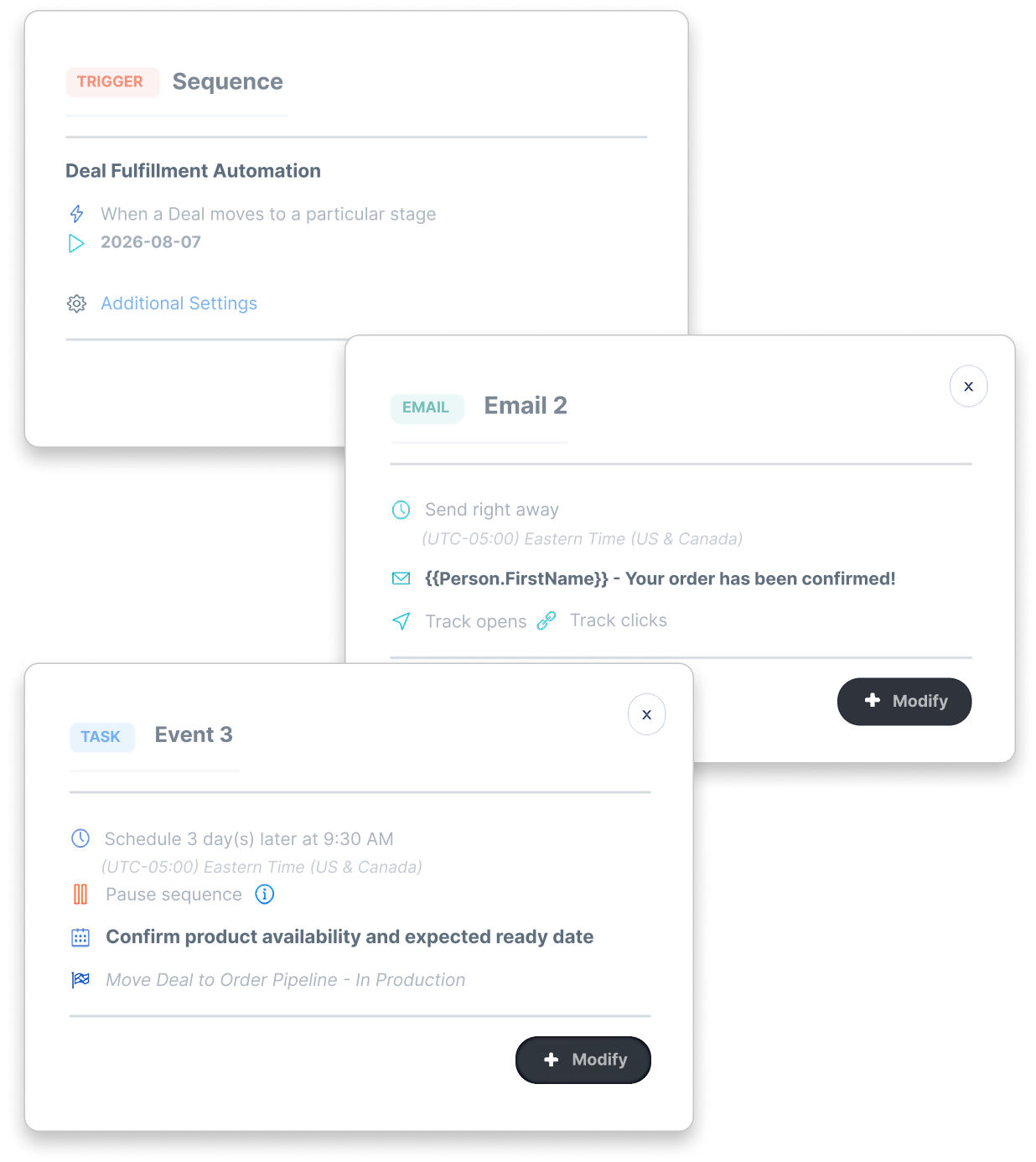
CreamSoda deal-stage workflow with a customer email and assigned team task

Hand off the deal at the right stage

Does the next team member know an order needs action?
When a deal changes stage, set up a workflow to create a task for the person responsible or send a customer update. Sales, purchasing and fulfillment can see the same deal context as the transaction progresses.

Assign preparation work

Create a task for a named team member after the order is confirmed.

Keep the buyer informed

Send a stage-specific email when the agreed event occurs.

Track what happens next

Keep the task and customer communication connected to the deal.
Keep tasks and meetings tied to the buyer

Are follow-ups buried in personal calendars?
Schedule calls, meetings and tasks with the customer or deal in view. Teammates with access can review the activity history, while connected Google or Microsoft calendars help the assigned person stay on schedule.

Set a clear due date

Assign a task with the timing and notes needed for the next call.

Prepare for the meeting

Keep the buyer, company and deal context close to the event.

Use your connected calendar

Sync supported Google or Microsoft calendar events when the account is configured.
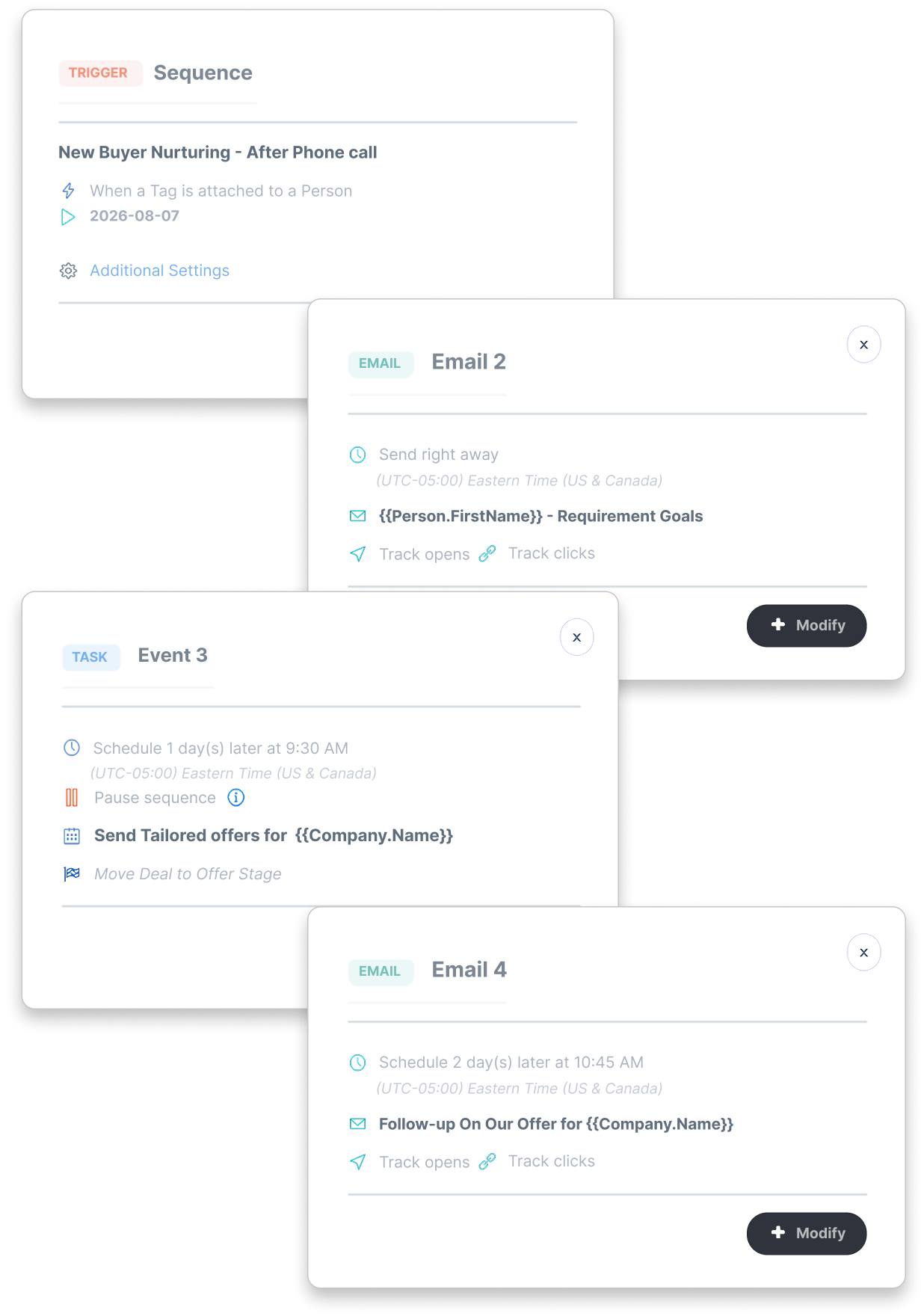
CreamSoda follow-up sequence showing customer communication and task steps
CreamSoda report showing won and lost deals by owner

See team progress without asking for updates

Can you tell which opportunities need help today?
Use Team View and deal reporting to review active work across the team. Check the deal stage, owner, expected date and activity before deciding where a manager or colleague should step in.

Review active deals

See the opportunities owned by your team in the pipeline.

Find stalled work

Use configured stage warnings to spot deals that need attention.

Coach with context

Review the record's activity and next task before asking for an update.

Explore three product-sales workflows

Business professional reviewing information on a laptop in an office

Trade agents: give the offer a buyer audience

Use earlier offers and deals to choose whom to approach about a supplier opportunity, then keep the buyer’s next question moving.
See the offer-to-buyer workflow
Business professional speaking by phone while reviewing notes and a laptop

Importers: ask buyers before committing to supply

Start requirements conversations with product-related contacts, then assess their answers alongside the supplier quote before buying.
See the buyer-demand workflow
Sales professional on the phone in an office with colleagues nearby

Distributors: pursue the next repeat order

Use successful sales history and useful next actions to choose a relevant account call and keep repeat-product follow-up owned.
See the repeat-sales workflow

Sales collaboration questions

Practical answers about team views, access and handoffs.
What can managers see in Team View?
keyboard_arrow_down

Team View shows active deals owned by you or members of your team, subject to access. Managers can use it to review stage, owner and next steps without asking each person for a separate status report.

Can we limit who sees a customer or deal?
keyboard_arrow_down

Yes. CreamSoda supports record ownership, followers and visibility controls. Set access for a person, company or deal according to who should participate in the work.

Can a deal stage assign a task to another teammate?
keyboard_arrow_down

Yes. Configure a sequence or workflow to create an assigned task when a selected deal event occurs. Choose the assignee, timing and task details for the handoff.

Can tasks and meetings appear on our calendars?
keyboard_arrow_down

CreamSoda includes tasks and meetings. You can connect supported Google or Microsoft calendars to sync events, subject to the connection and calendar settings you choose.

We use cookies to improve your experience. Manage your preferences or accept to continue.

Reject Preferences Accept