Product
Who We Serve
Resources
LearnIdeas and answers
BlogArticles and practical guidance
Knowledge BaseProduct help and how-tos
Compare CRMsExplore the differences








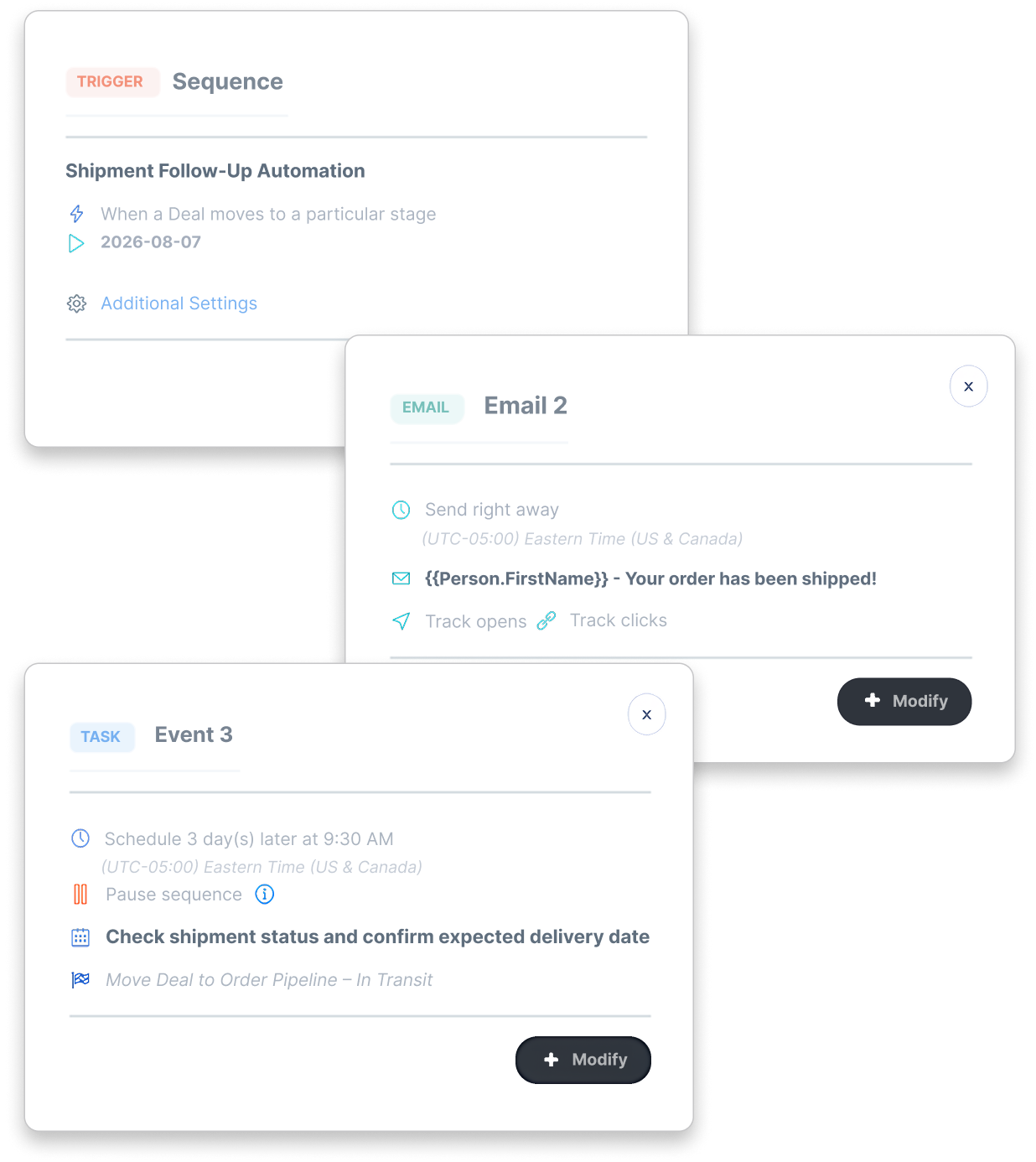


Use customer and deal details in the email sent at the stage you choose.
Create a task to check readiness, confirm documents or contact the customer.
Use deal stages to schedule delivery follow-up and assign the next task.
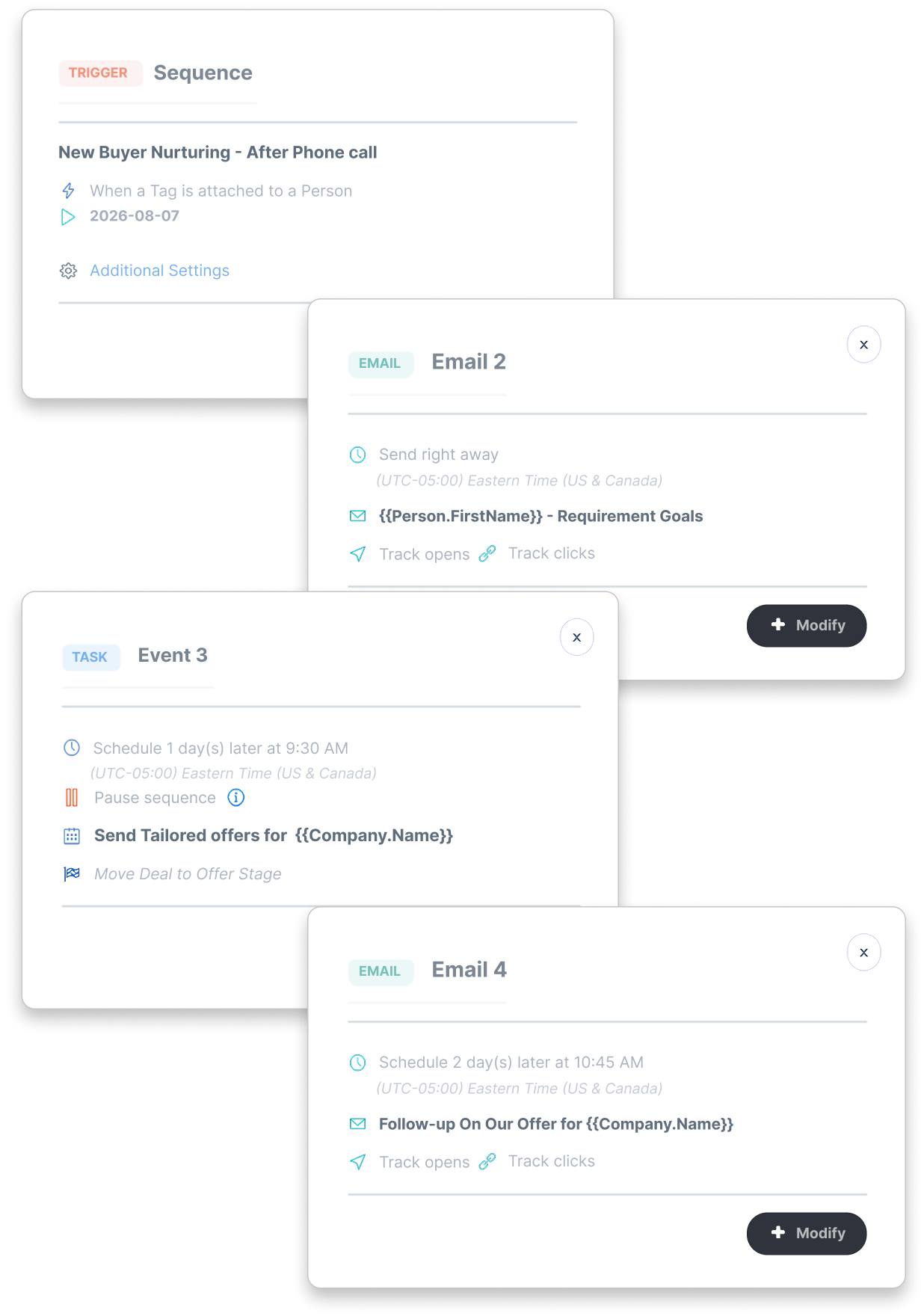
Plan a task to discuss the buyer's next requirement or repeat order.
Send an email or create an activity immediately, or set a delay.
Use the contact's time zone when available, or the default you choose.
Pause later steps until the task is complete, within the sequence's time limit.
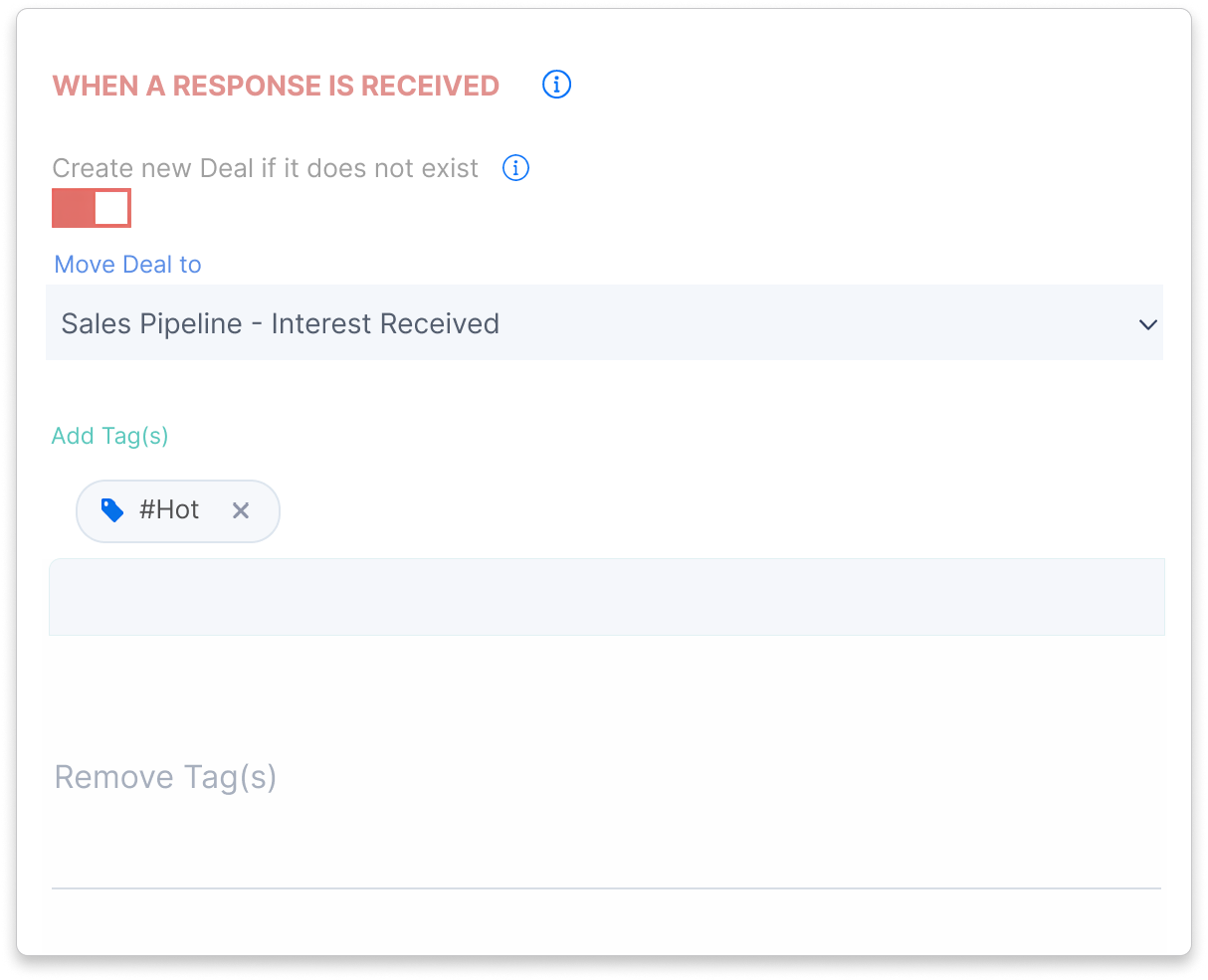
For contact-based sequences, create a sales deal from a detected reply when the contact has no active deal.
Use reply, sequence-completion or task-completion rules to move a related deal to the stage you choose.
Set tag changes when a sequence starts, receives a reply, finishes or a contact leaves.
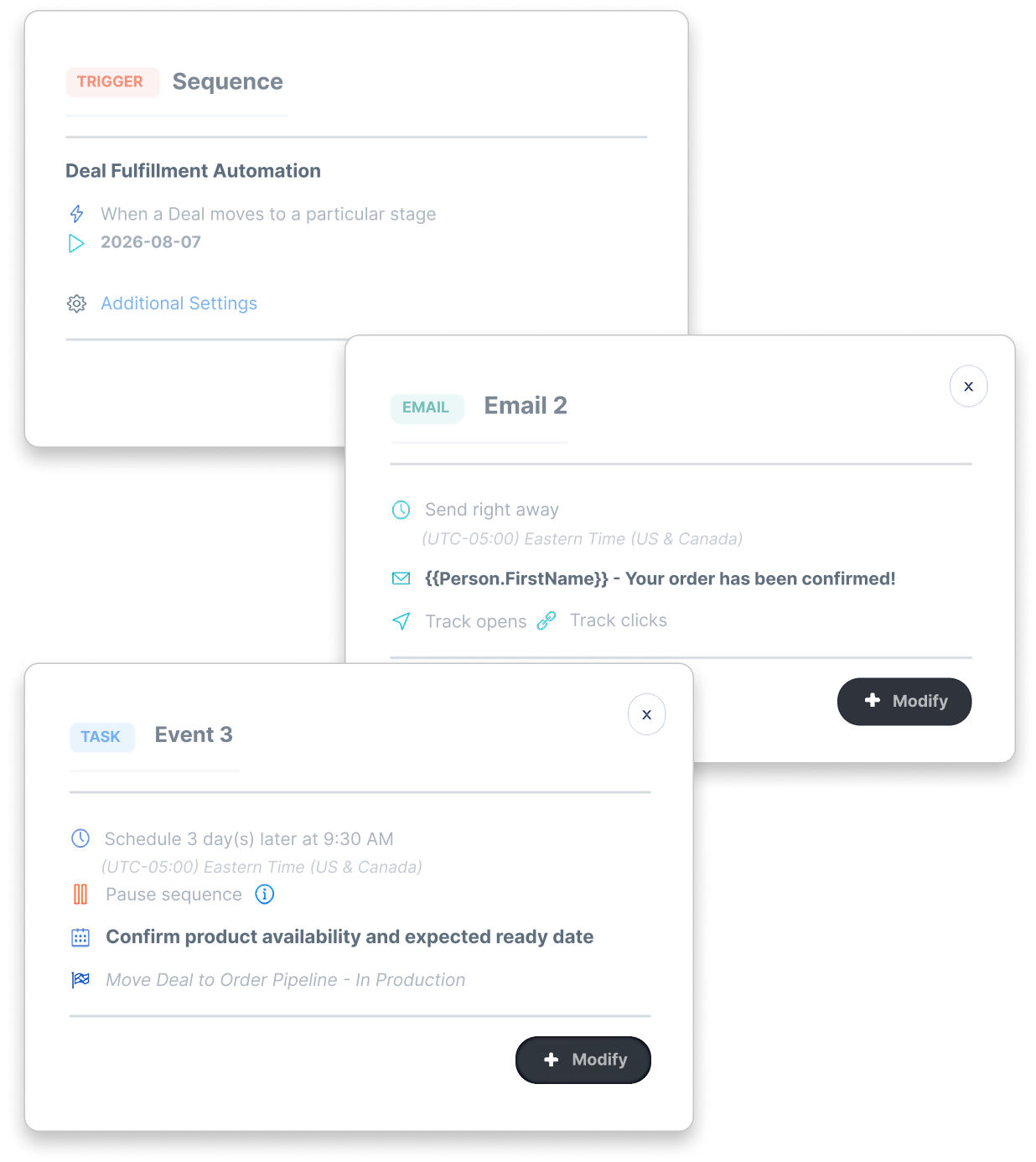
Use available CRM and custom-field conditions to choose which records enter.
Choose one-time or repeat enrollment to fit the purpose of the sequence.
Pause, resume or remove a participant while the workflow continues for others.






Sales follow-up software puts customer emails and assigned tasks in a sequence. In CreamSoda, you choose what starts it, when each step happens and when it stops. Reply and completion rules can update contact tags and related deal stages.
Start manually or use supported contact, company or deal changes, contact tags and deal-stage movement. Add record conditions to choose which records enter.
Yes, for supported record types and settings. Configure stops for detected customer replies or related deal closure. CreamSoda handles normal replies separately from automatic replies and delivery failures; reply detection depends on receiving and identifying the email.
Yes. A pausing task holds later steps until it is marked complete, within the sequence's time limit. When enabled, email and event actions use the contact's saved time zone, with your chosen default as a fallback. Weekday scheduling is also available.
Email Offers helps you choose buyers and send product offers. Marketing Automation plans the follow-up emails and tasks. Sales Pipeline shows where the deal stands and keeps the offer and delivery dates together.