

Product
Who We Serve
Resources
LearnIdeas and answers
BlogArticles and practical guidance
Knowledge BaseProduct help and how-tos
Compare CRMsExplore the differences

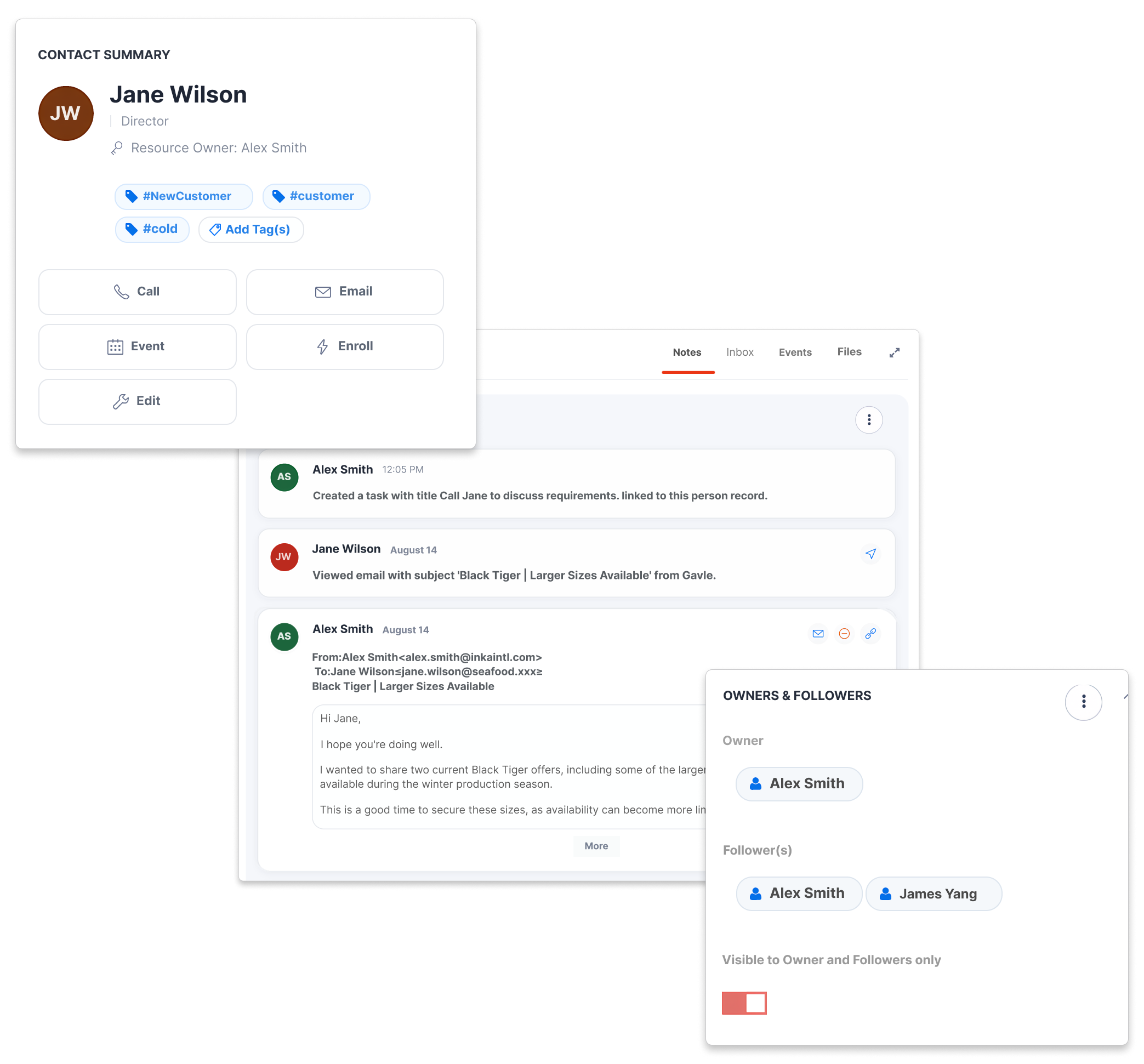
For wholesalers, importers and distributors, the next opportunity often starts with a customer’s buying history. Compare the built-in tools for turning that history into an offer and a follow-up.
| What your team needs to do | CreamSoda | Pipedrive |
|---|---|---|
Bring regular buyers back | ||
| Estimate when a customer should reorder a product | ✓ YesUse their usual buying interval | ✕ No* |
| Flag a regular product a customer has stopped buying | ✓ YesSee the missing product and supporting history | ✕ No* |
Find the next product opportunity | ||
| Suggest cross-sells from products customers buy together | ✓ YesPurchase patterns across your accounts | ✕ No* |
| From an offer, find past buyers and interested contacts | ✓ YesUse earlier purchases and recorded product interest | ✕ No* |
Keep the CRM basics | ||
| Keep customer records and activity history together | ✓ YesCompanies, contacts and conversations | ✓ Yes |
| Send product quotes and manage follow-up tasks | ✓ YesOffers and customer-linked tasks | ✓ YesQuotes through Smart Docs |
* No means the specific built-in product workflow is not listed in the Pipedrive documentation reviewed on 21 October 2026. Custom setups and integrations are excluded. Smart Docs is included on Premium and Ultimate, or available as an add-on on lower plans. Sources: Products; activities; Smart Docs; AI next best actions.
Ask suppliers for a quote. Their form responses create offers with product prices, quantities, units and comments ready to review.
Put recorded offers for the same product side by side. Review prices, quantities, quote dates and delivery terms before deciding what to offer your customer.
Keep pack count, pack size and compatible unit conversions in the offer total. Your team can quote in the weight, volume or length units the buyer uses.
Keep supplier prices and the customer offer in the same sales workflow. Explore supplier offer collection and comparison.
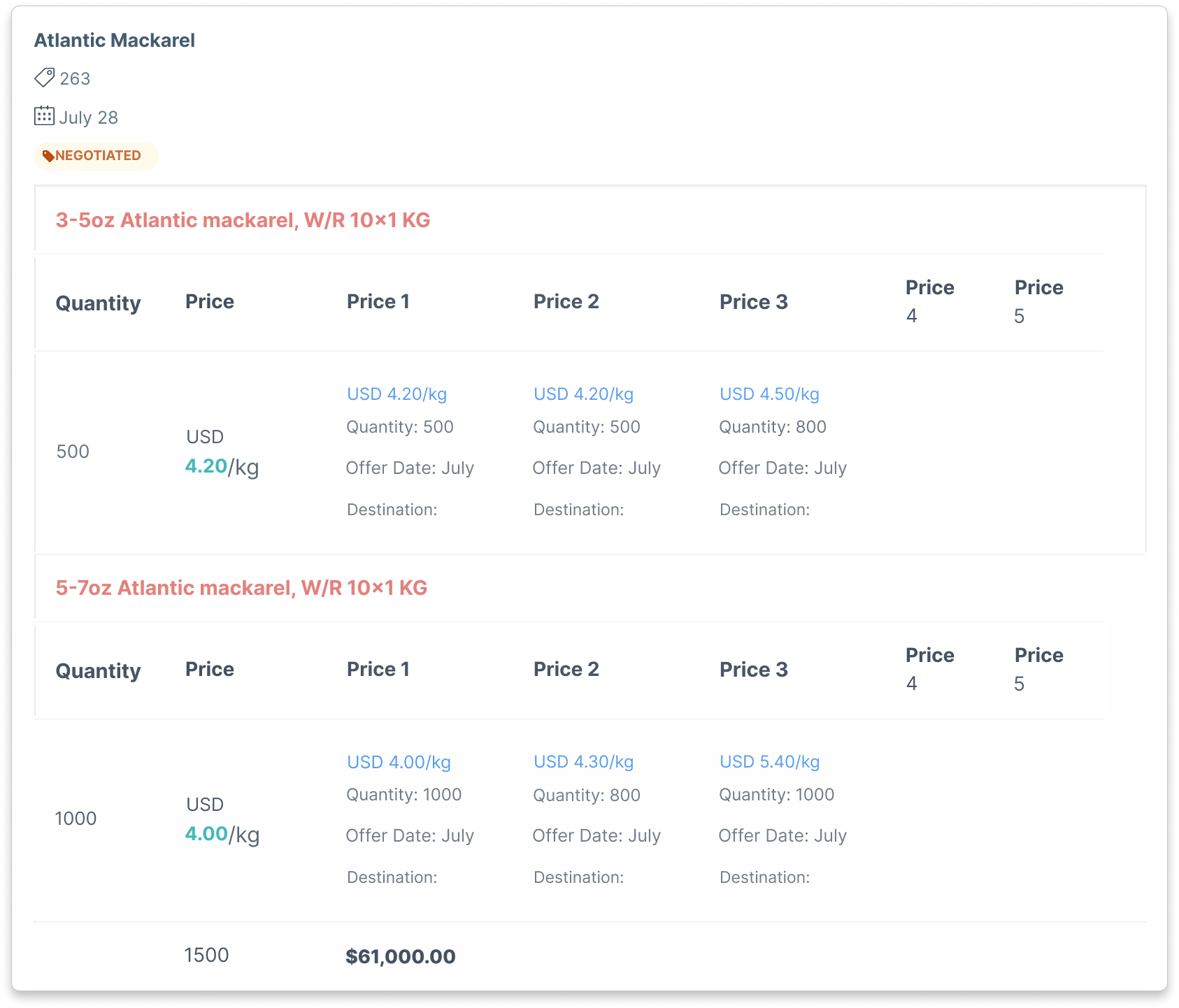
Compare recorded offers for the same product. Check currency, specifications and commercial terms.
Purchase Insights brings spending changes and product buying history into company and product records. Spot a customer buying less and review the details before you get in touch. Explore customer and product history.
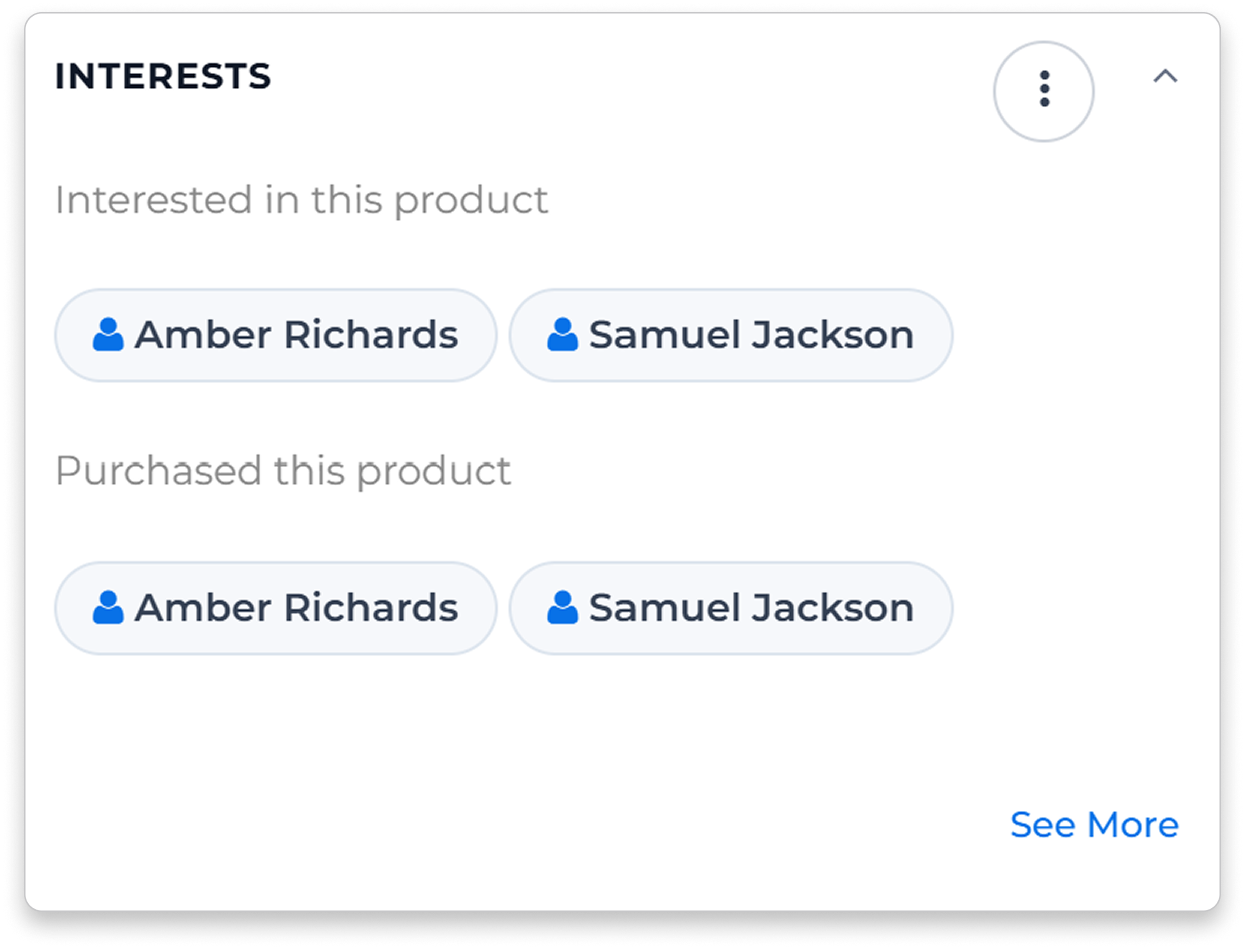
Start with the products you want to sell. Find contacts with recorded interest and buyers from earlier successful deals containing those products. Use both groups to build a relevant recipient list.
Choose recipients using product interests and purchase history. Send the offer to your customer lists, then keep replies and the next task with the relationship.
Next Best Actions highlights reorders, missing regular products and cross-sells when there is enough relevant history. Review the reason, then create a task, prepare an email or add a note. See how Next Best Actions works.
Track preparation, transit and delivery with an owner, next task and shipment dates. Your team can answer the customer without piecing together separate updates.
Record itemized deal costs and review profit and markup beside the sales value. A $120,000 sale with $45,000 in recorded costs shows $75,000 profit before other costs or adjustments.
Record a problem and its assigned value against the company and deal. Claims do not reduce profit by default. Add the amount to the deal’s Costs section if you want it included.
Keep the sales work in CreamSoda alongside your stock, warehouse and accounting systems.
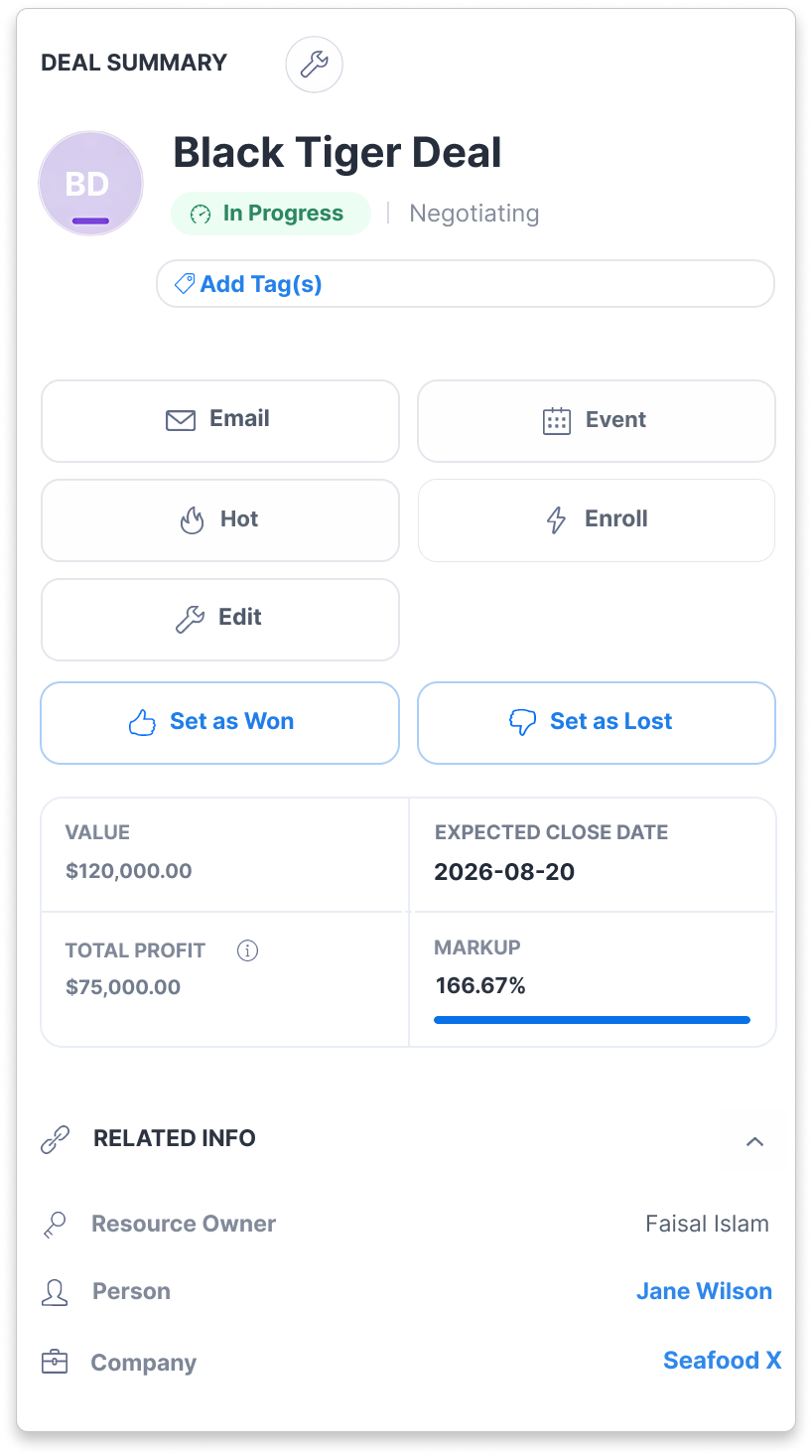
Deal profit is based on the sales value and costs recorded in CreamSoda.
Your team works with products, buyers, supplier offers and the next order. CreamSoda connects that familiar work so a useful offer can become a customer conversation, a deal and a repeat sale.

Compare supplier offers

Find relevant product buyers

Follow deals through delivery

Review costs, profit and claims
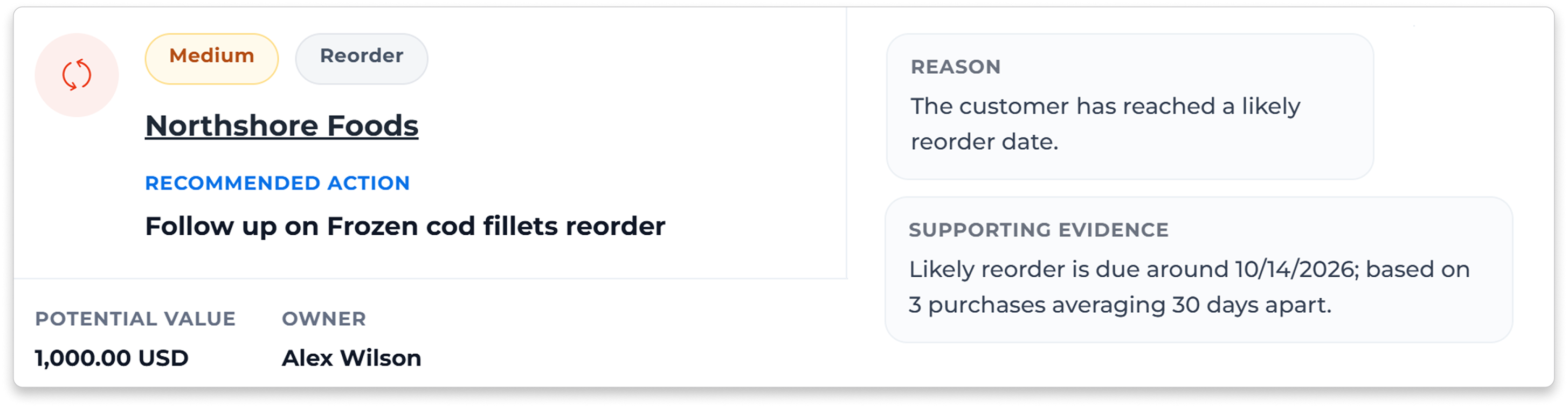
CreamSoda helps your team find a reason to start the next deal. Use purchase history, product interests and supplier offers to decide which customers to approach and what to offer them.
We’ll review your Pipedrive exports and map the supported records to CreamSoda. Start with a sample of companies, contacts, products and deals so you can see how your history will be used.
They need enough relevant purchase history to show a pattern. Bring a sample to the demo so we can review the data, account setup and features your team needs. Supplier comparisons use the offers recorded in CreamSoda.
Yes. Use CreamSoda for customer relationships, product offers, follow-up and deal coordination alongside your operational systems. We’ll review any import or integration requirements with you.Sources: Pipedrive products. Also compare Insightly and CreamSoda or Salesforce and CreamSoda.
Also compare CreamSoda with HubSpot or Prospect CRM.



