CreamSoda
Pricing
Resources
Pricing

Pipeline management software for B2B product sales

Keep deals moving from quote to delivery.

See each deal's stage, owner and next task in one place. Keep product offers, customer conversations and delivery dates together so your team can follow through.

See where each deal stands

Track deals through each stage

Set stages that match your sales process, from open quotes to delivery.

See which deals need attention

Use expected dates and the stalled-deal warnings you set to plan follow-up.

Estimate pipeline revenue

See a revenue estimate based on deal values and the win probabilities you set for each stage.

Check the product offer

See the products, quantities, prices and terms behind each deal.

Give the next task an owner

Set up workflows to assign tasks and send customer emails when a deal changes stage.

Know who is responsible

See the deal owner and who is handling the next task.

See what the deal earns

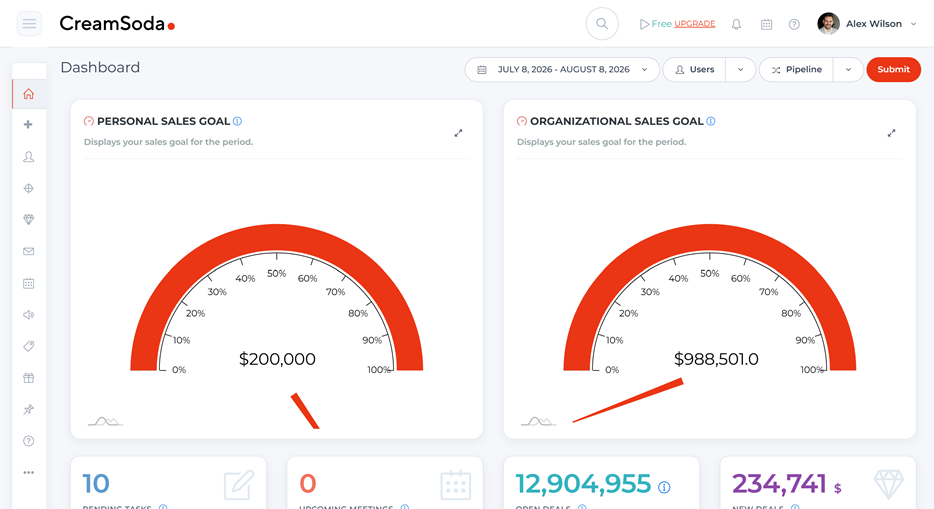
Review deal value, recorded costs and calculated profit together.
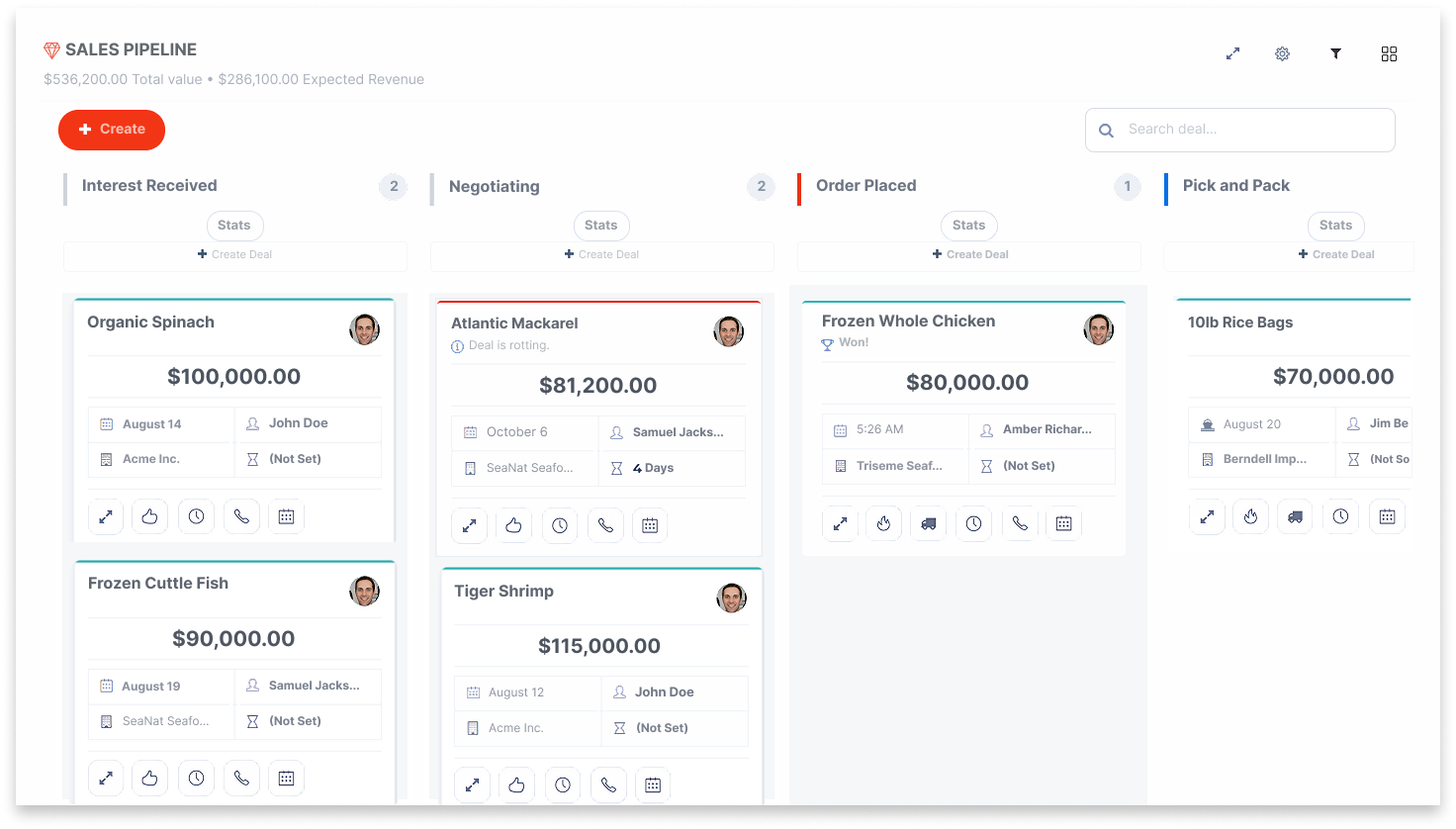
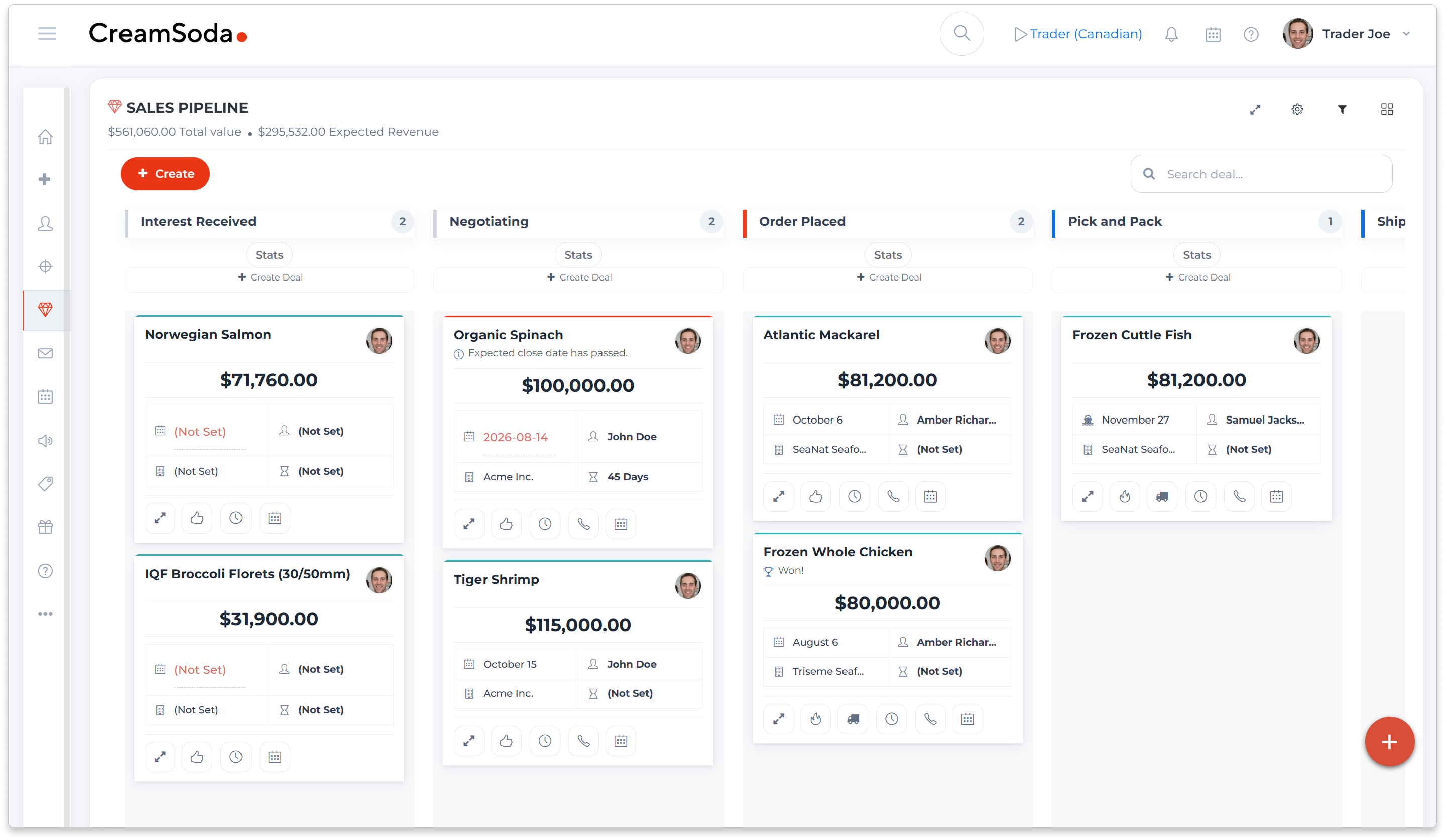
Example CreamSoda product deals arranged by sales pipeline stage

Know which deals need a follow-up

Are quotes waiting while your team decides what to do next?
See active deals on a visual pipeline. Check each deal's stage, owner, value and expected dates, then decide which customer to contact next.

Use stages that fit how you sell

Create stages for quotes, customer decisions and the shipment or delivery steps you track.

Spot deals that have gone quiet

Set how long a deal can stay in a stage before it needs attention.

Estimate pipeline revenue

Use deal values and the win probabilities you set for each stage to estimate pipeline revenue.

Stay on top of the deal after the customer says yes

Can you answer a delivery question without searching old emails?
Keep the product offer, customer conversation and documents with the deal. Track expected and actual shipment and delivery dates so your team can give customers a clear update.

Check what was offered

See the product quantities, prices and terms when a customer or colleague asks.

Track shipment and delivery dates

Update expected and actual dates as information becomes available.

Find the right document

Keep quotes, specifications, shipping files and invoice documents with the deal.

Example rice product deal with customer, company and recorded shipment and delivery dates
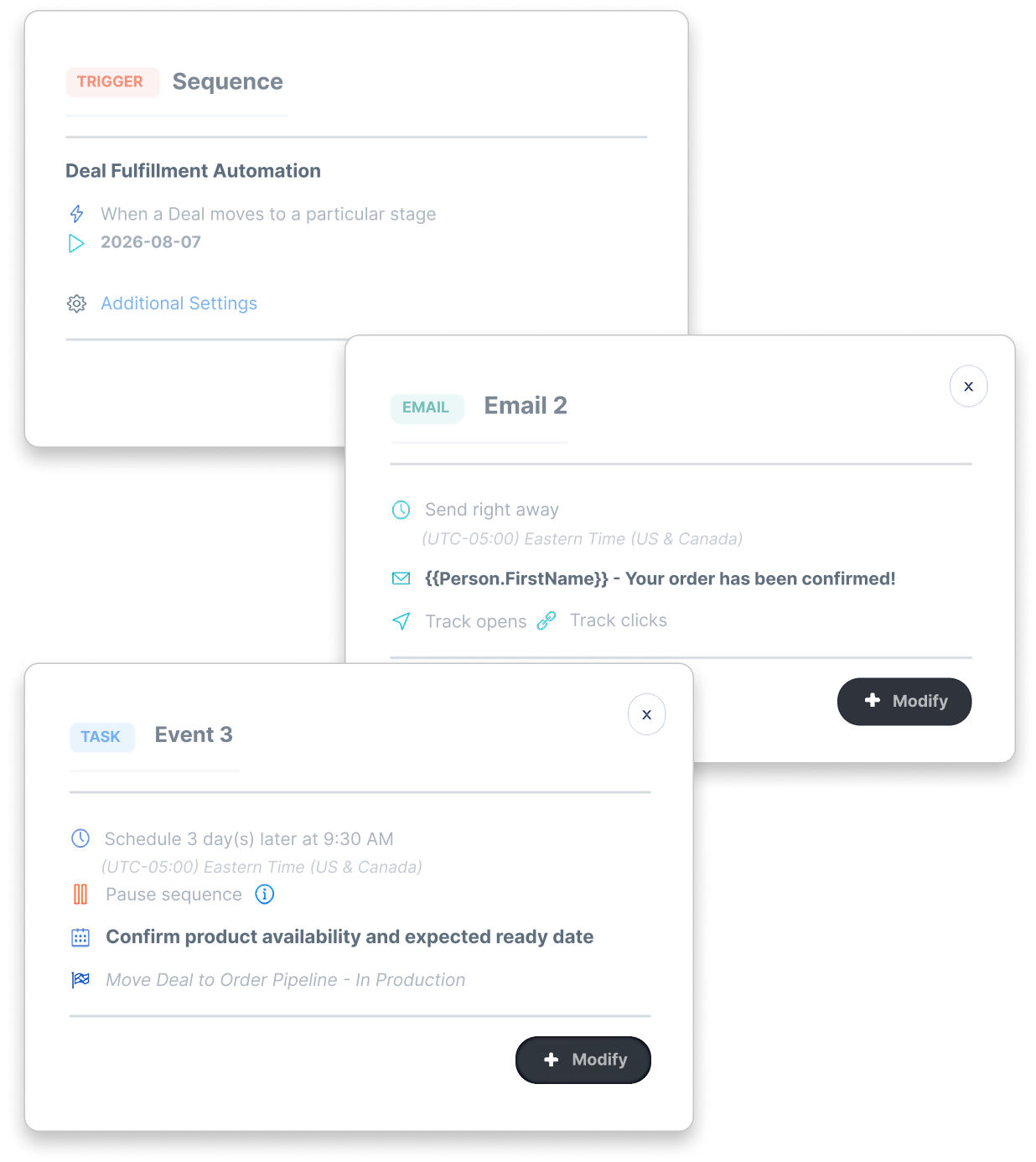
Example configured deal-stage workflow with a customer email and assigned availability-confirmation task

Give every next step an owner

Does follow-up depend on someone remembering the next step?
Set up workflows to auto-create tasks or send customer emails when a deal changes stage. Choose the conditions, timing and people responsible for the next step.

Assign the next task

Create an assigned task when a deal reaches the stage you choose.

Keep customers informed

Set up customer emails for the deal stages you choose, with the right message and timing.

Keep the owner in view

See who owns the deal and who is responsible for the next task.
See what each deal earns

Are extra costs making profit harder to see?
See selling-deal value, recorded costs and calculated profit together. Add purchasing, freight and other costs as the deal develops. Keep claim details with the deal for follow-up.

Keep deal costs together

Record purchasing, freight and other costs, with their currencies and supporting details.

Review profit and markup

Compare deal value with the costs you recorded to see the calculated profit and markup.

Follow up on claims

Record a problem and its assigned value against the deal. If you want it reflected in profit, add the amount to the deal’s Costs section.
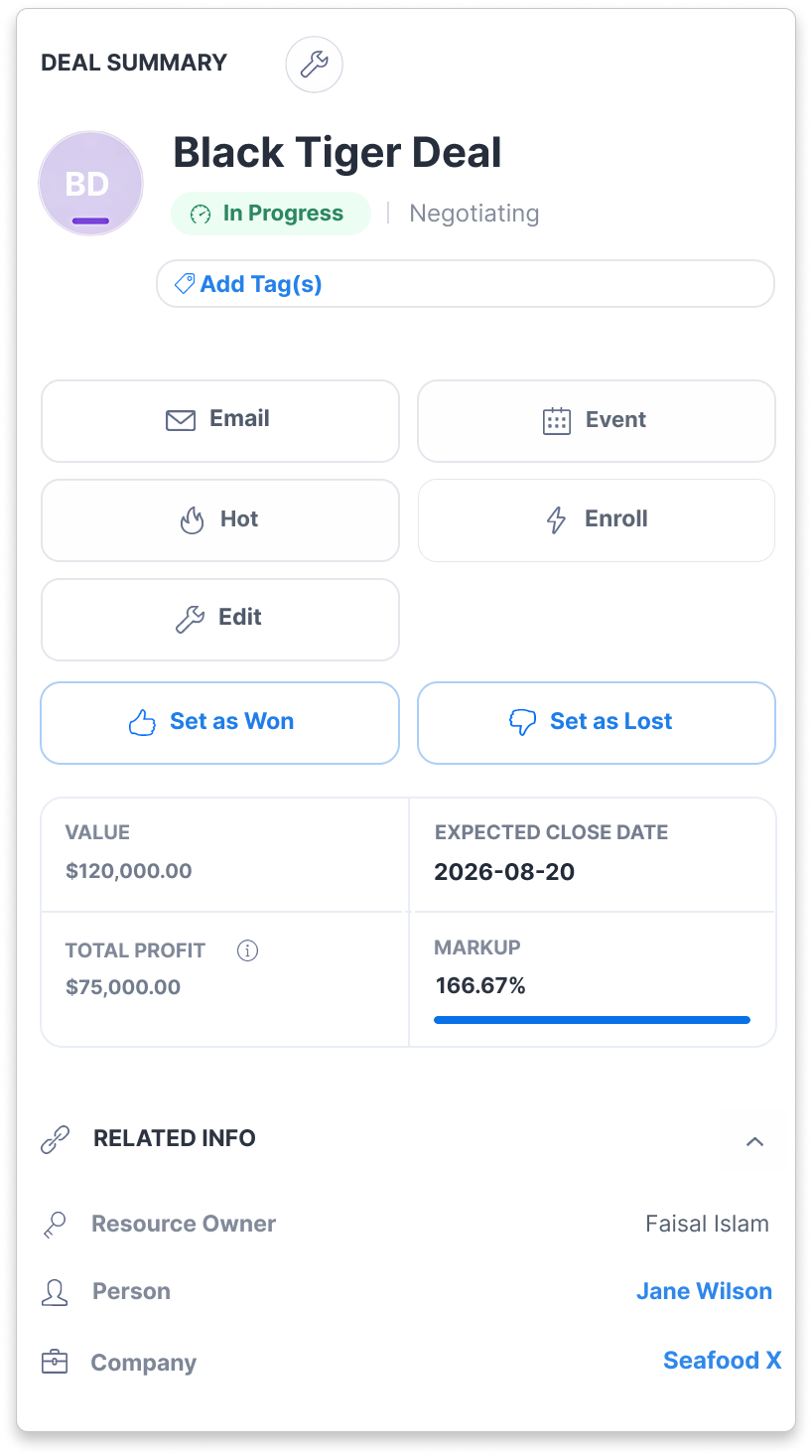
Example selling deal showing recorded value, profit, markup and owner
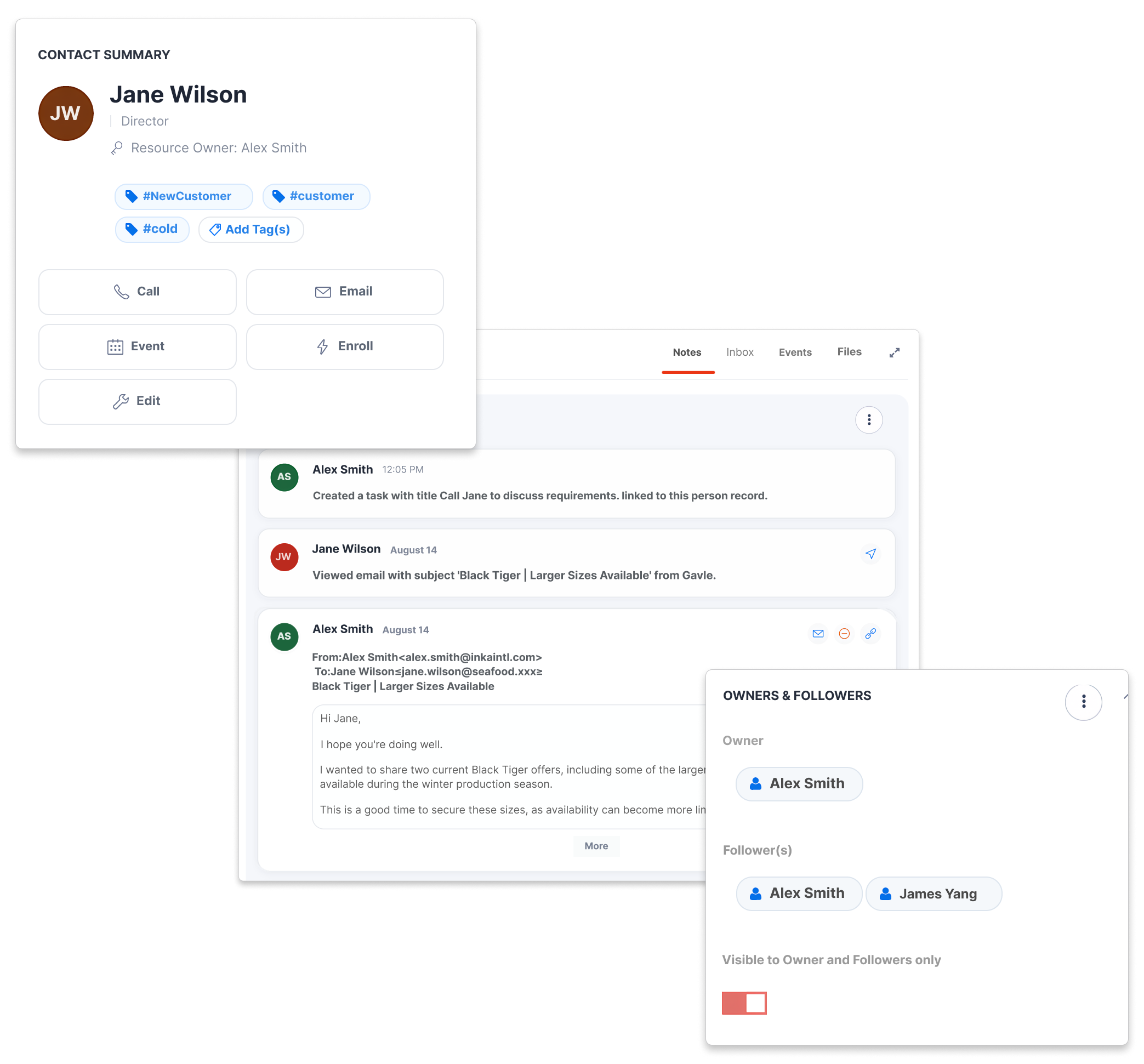
Example customer record with notes, email activity, owner and followers

Help a colleague pick up where you left off

Can a colleague answer the customer's next question?
Keep notes, files and activity with the deal. Open the linked customer, company and product offer so authorized colleagues can continue the conversation.

Continue the customer conversation

Review customer conversations, meetings and notes before you reply.

Review what changed

See the deal's activity history before deciding what to do next.

Share with the right people

Use owners, followers and privacy settings to give the right colleagues access.

Explore three product-sales workflows

Business professional reviewing information on a laptop in an office

Trade agents: give the offer a buyer audience

Use earlier offers and deals to choose whom to approach about a supplier opportunity, then keep the buyer’s next question moving.
See the offer-to-buyer workflow
Business professional speaking by phone while reviewing notes and a laptop

Importers: ask buyers before committing to supply

Start requirements conversations with product-related contacts, then assess their answers alongside the supplier quote before buying.
See the buyer-demand workflow
Sales professional on the phone in an office with colleagues nearby

Distributors: pursue the next repeat order

Use successful sales history and useful next actions to choose a relevant account call and keep repeat-product follow-up owned.
See the repeat-sales workflow

Pipeline management questions

Answers about deal stages, follow-up, delivery dates and profit.
What does pipeline management software do for B2B product sales?
keyboard_arrow_down

Pipeline management software shows where deals stand and what needs a follow-up. CreamSoda keeps product offers, owners, tasks, documents and delivery dates with the deal. It supports B2B product sales alongside your warehouse and accounting systems.

Can we customize the pipeline stages?
keyboard_arrow_down

Yes. Create and order stages to match your sales process. Set stage win probabilities for revenue estimates and choose when a deal should trigger a stalled-deal warning. Revenue estimates use your deal values and stage settings.

Can deal changes start tasks and customer emails?
keyboard_arrow_down

Yes. Set up workflows to create assigned tasks or send customer emails when selected deal changes occur. Choose the conditions and timing, and connect the email account used to send messages.

How are deal profit, costs and claims handled?
keyboard_arrow_down

CreamSoda calculates selling-deal profit and markup from deal value and recorded costs. Claims record problems and their assigned value; they do not reduce profit by default. To include a claim in profit, add its amount to the deal’s Costs section. Check currencies and use your accounting system for reconciliation.

We use cookies to improve your experience. Manage your preferences or accept to continue.

Reject Preferences Accept