

Product
Who We Serve
Resources
LearnIdeas and answers
BlogArticles and practical guidance
Knowledge BaseProduct help and how-tos
Compare CRMsExplore the differences

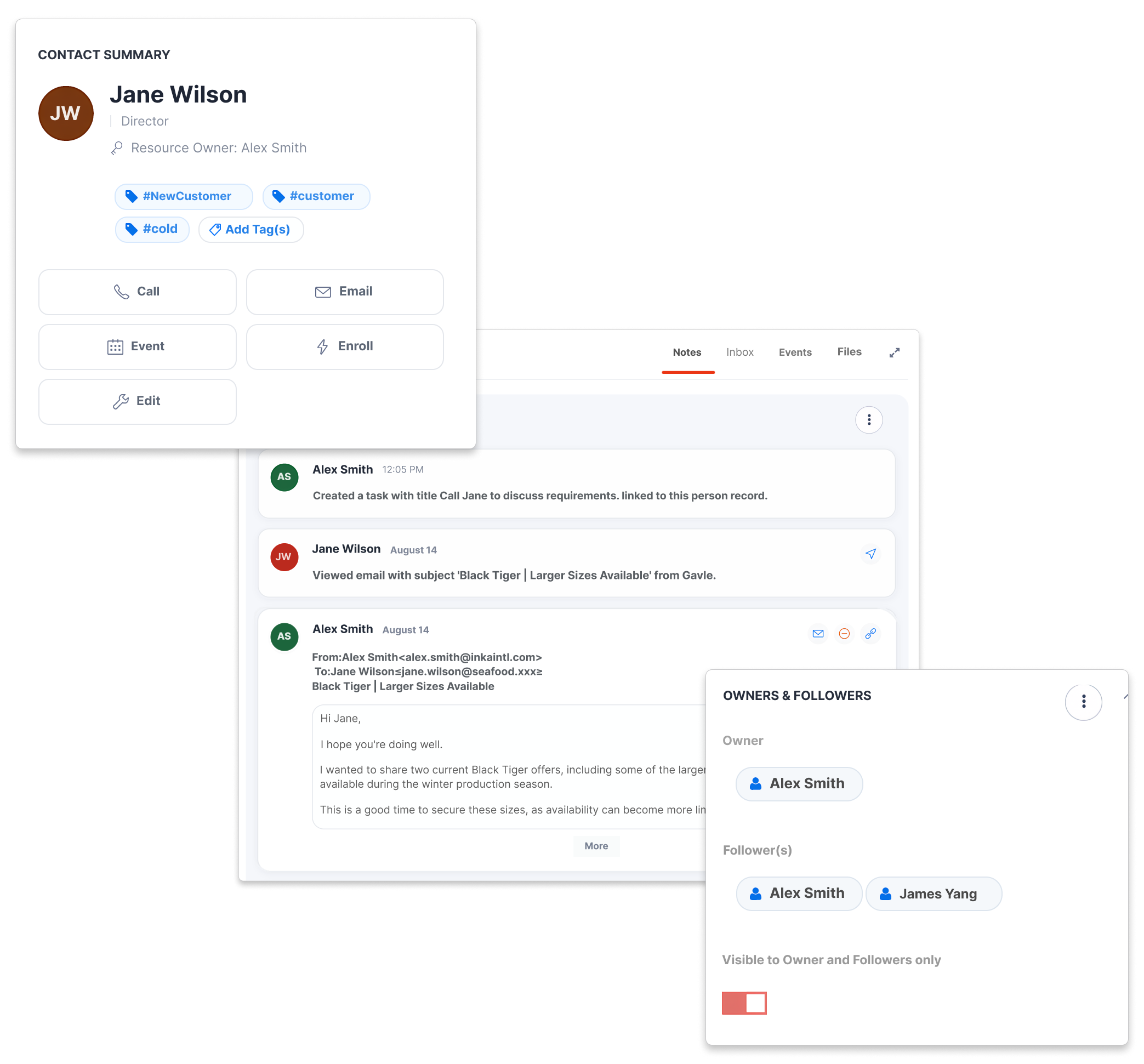
Choose the tools for your daily product sales: collect supplier quotes, compare prices and find relevant contacts. Here is how CreamSoda compares with Salesforce Pro Suite.
| What your team needs to do | CreamSoda | Salesforce Pro Suite |
|---|---|---|
Make more of every product opportunity | ||
| Let suppliers submit quotes through a response form | ✓ YesReplies become supplier offers | ✕ No* |
| Compare supplier quotes for the same product | ✓ YesView competing recorded prices | ✕ No* |
| From an offer, find past buyers and interested contacts | ✓ YesIncludes interest that did not become a sale | ✕ No* |
| Estimate when a customer should reorder a product | ✓ YesBased on that customer’s purchase history | ✕ No* |
Keep the sales essentials together | ||
| Send product quotes and manage follow-up tasks | ✓ YesKeep the offer and next step together | ✓ Yes |
| Review customer and product sales history | ✓ YesSee the history behind the next conversation | ✓ Yes |
* Comparison covers built-in Salesforce Pro Suite workflows, excluding add-ons, third-party apps and custom development. No* means no equivalent workflow was found in public documentation reviewed on 20 October 2026. Sources: Pro Suite features; Edition comparison.
Send suppliers a quote request. Their form responses create offers in CreamSoda, with prices, quantities, units and comments ready for your team to review.
See competing prices for the same product side by side. Review quantities, quote dates and shipment details, then choose the offer to take forward.
Use pack count, pack size and compatible unit conversions to prepare the offer total. Keep the quantity and price basis clear when quoting the customer.
Prepare your next customer offer with supplier prices in view. Explore supplier offer collection and comparison.
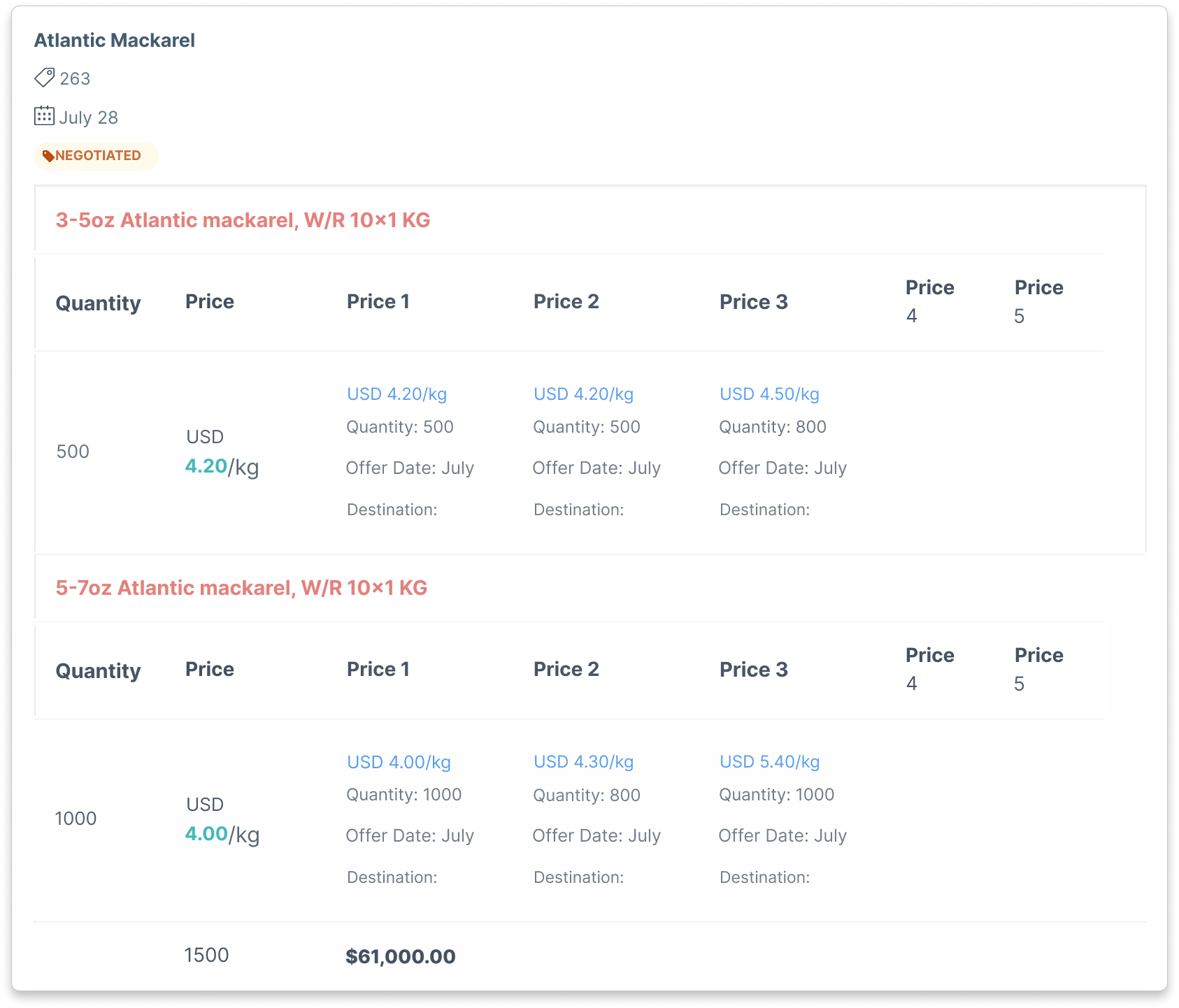
Compare recorded prices, quantities and quote dates. Check specifications, currency and delivery terms before choosing a supplier.
Open the customer record to see products, earlier offers, deals and conversations. Your rep can prepare a relevant offer, and colleagues have the history to continue the conversation. Explore customer and product intelligence.
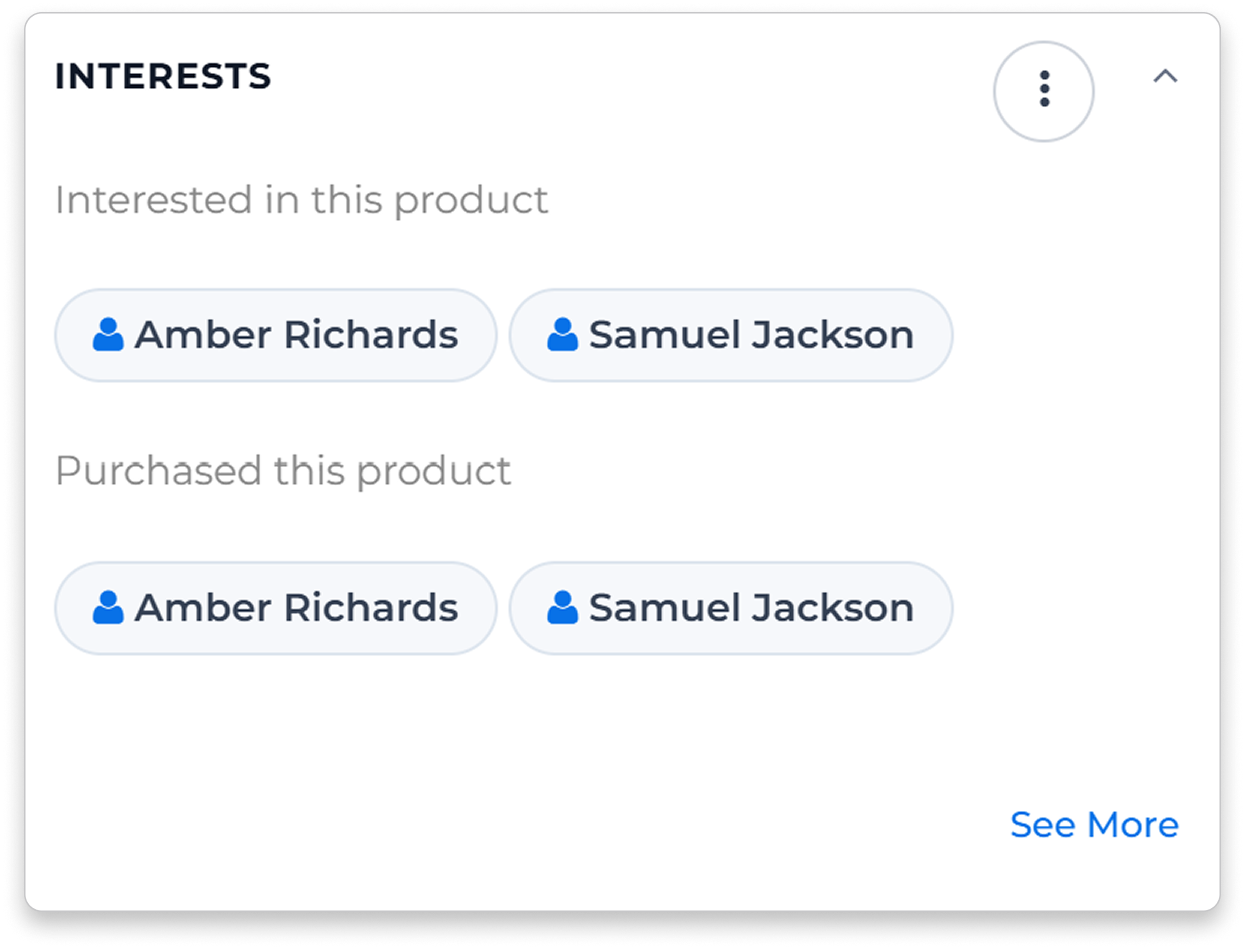
A supplier offers a product at a price worth pursuing. CreamSoda shows previous buyers and contacts with recorded interest in that product, including interest that did not become a sale. Choose whom to approach with the new offer.
Choose the product lines and contacts for your offer email. Keep replies and follow-up tasks with the account, so your team can pick up the conversation while the opportunity is current.
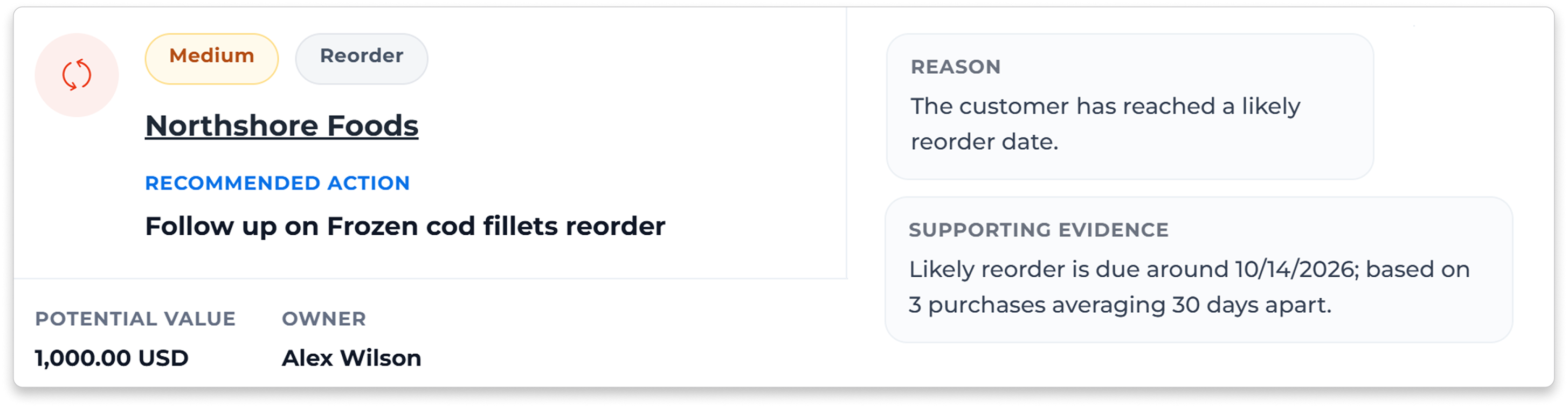
Purchase Insights on company and product records highlights reorder timing, products that have stopped selling and cross-sell opportunities. Next Best Actions brings the reason and history together, so your rep can prepare an email or create a task. See how Next Best Actions works.
Keep the deal moving from negotiation through preparation, transit and delivery. Owners, tasks and shipment dates help your team answer the customer’s next question.
Record deal costs and review profit and markup alongside the sales value. See what the transaction earns after the costs your team has entered.
Record a problem and its assigned value against the company and deal. Claims do not reduce profit by default. Add the amount to the deal’s Costs section if you want it included.
Keep customer conversations, shipment dates, recorded costs and claims connected to the sale.
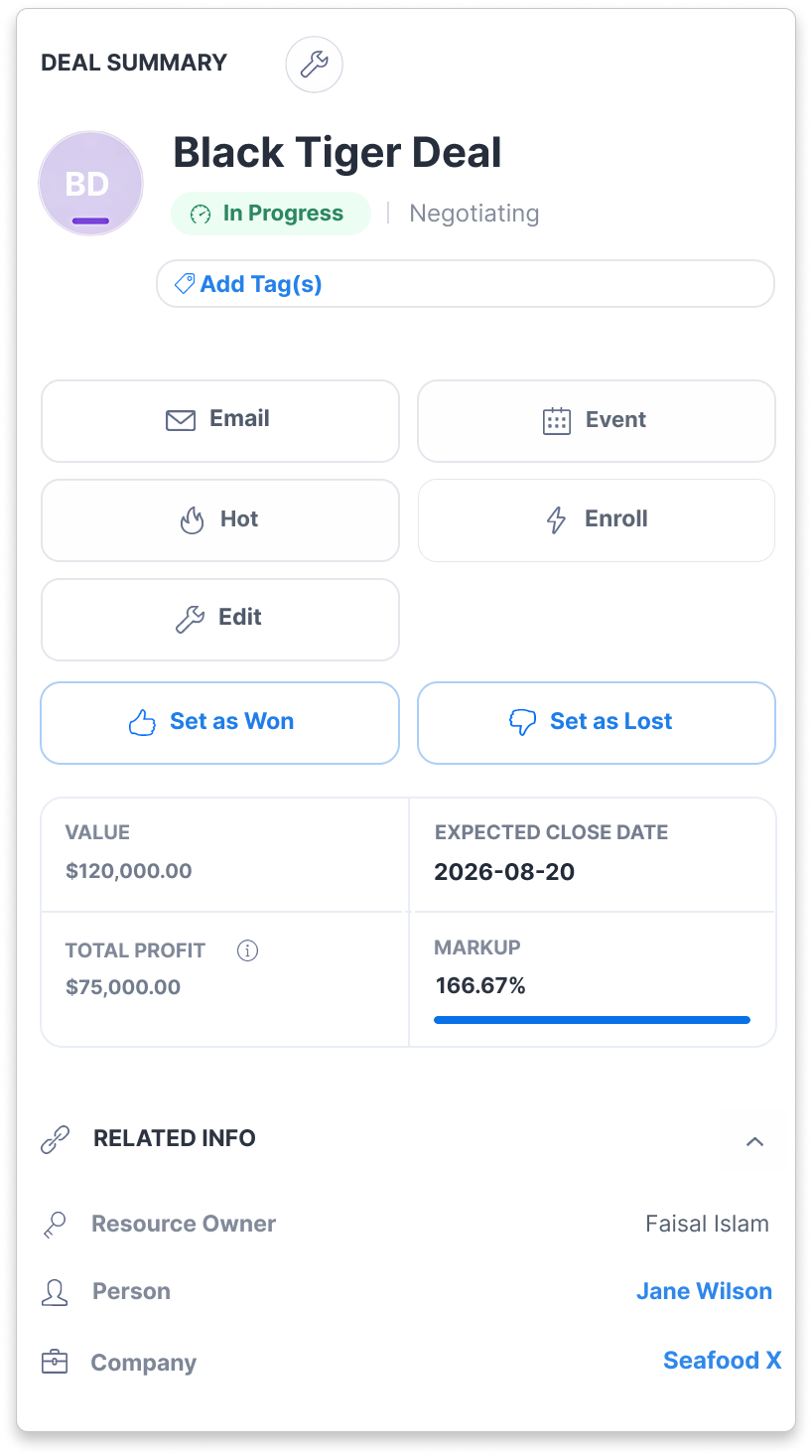
Recorded deal costs, profit and markup in CreamSoda.
Review a supplier quote, choose customers for an offer and see which account needs a follow-up. CreamSoda keeps products, offers, customer history and tasks connected, so your team has the context for the next sale.

Choose with supplier-price evidence

Reach relevant product buyers

Follow the deal through delivery

See deal costs, profit and claims
Choose CreamSoda when your team needs supplier quotes, product-based contact selection and repeat-sales follow-up in one CRM. Compare recorded prices, find past buyers and interested contacts, and give reps a reason to get in touch. Keep quotes, tasks and deals connected as the sale moves forward.
Start with your company, contact, product and deal exports. We’ll review the supported fields and a sample import, including the customer links, product identifiers and sales dates needed for purchase history. We’ll also review the notes, emails and attachments you want to retain.
Purchase Insights shows falling spend, regular products that have gone quiet and cross-sell opportunities on company and product records. Next Best Actions gives your rep the reason and supporting history, with options to prepare an email or create a task.
Bring a supplier offer and the products a regular customer buys. See how CreamSoda compares supplier prices, finds contacts for the offer and highlights repeat-sales opportunities. Then prepare the customer offer, choose a follow-up and track the deal.Sources: Pro Suite features; Edition comparison. Also compare Insightly and CreamSoda or Pipedrive and CreamSoda.



