CreamSoda
Pricing
Resources
Pricing

Commodity trading CRM for trade agents and brokers

Know which buyers to call when a supplier offer arrives

A supplier sends a new offer. CreamSoda shows contacts linked to earlier offers and purchases of those products, so you can choose who to approach. Keep the terms, conversations and next steps together as you work towards the sale.
PIPEDA logoGDPR logoCAN-SPAM logoCASL logo
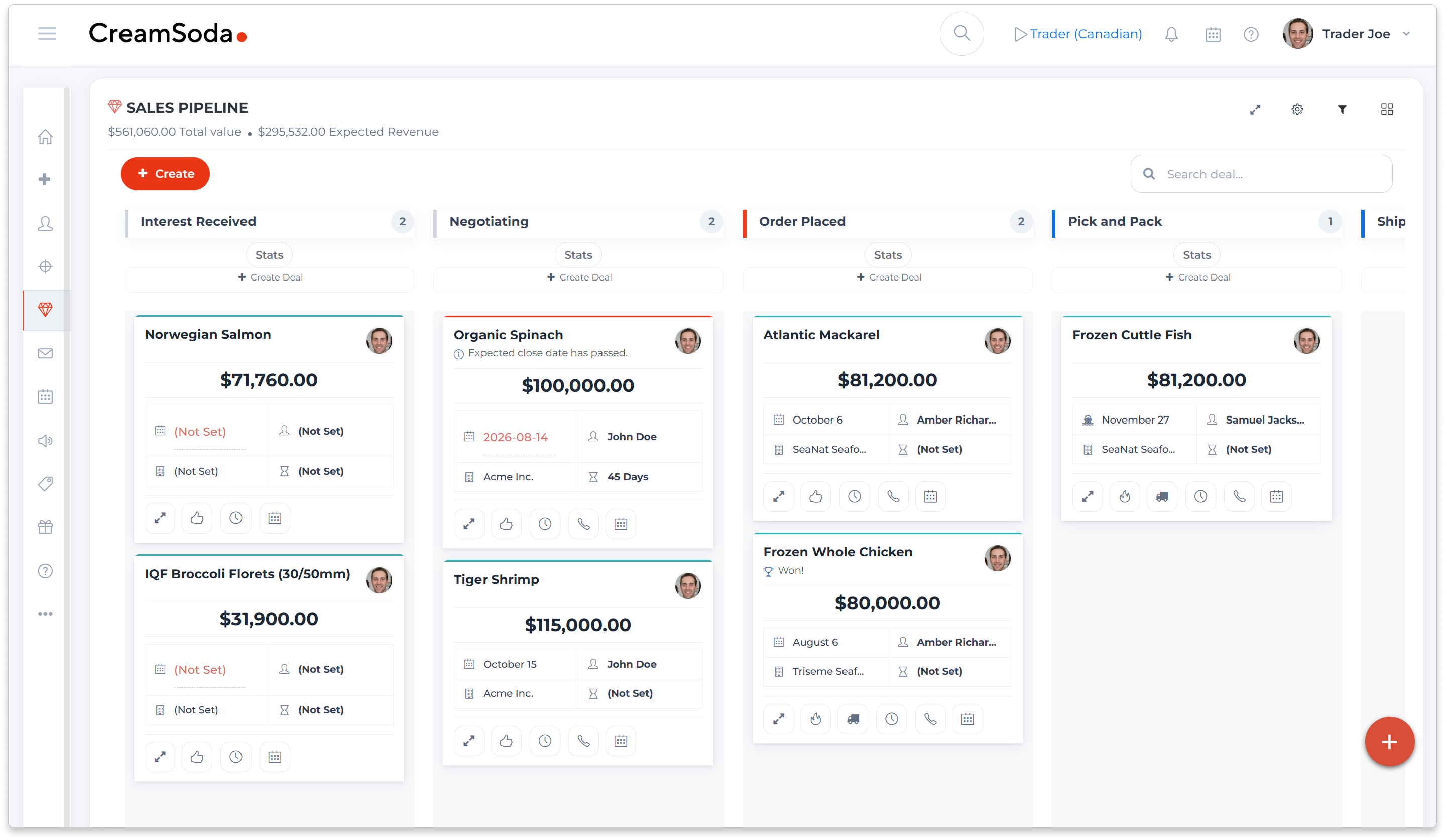
CreamSoda example product-sales pipeline showing quotation and preparation stages

Keep supplier offers and buyer follow-up moving

Choose buyers with relevant product history

See who was quoted or bought the product before, then check whose current needs fit the offer.

Keep buyer knowledge in the agency

Keep contacts, product requirements, conversations and deal history available when a colleague takes over.

Send an offer that fits the buyer

Choose the buyers, product specifications and terms for each email offer, using their earlier conversations.

Know who needs a follow-up—and why

See enquiries, replies and repeat-order opportunities that need attention, with a reason for each suggested next step.

Coordinate both sides of the transaction

Keep supplier terms and buyer requirements with the opportunity, with someone responsible for the next step.

See costs, profit and payment status

Review deal value, recorded costs and expected profit alongside claims and invoice-payment status.

Make it easier for colleagues to step in

Give colleagues the customer history and follow-up details they need when a broker is away.
Commercial CRM for physical product trading
The same mackerel offer may suit one buyer’s pack and quantity requirements but miss another’s. Use earlier offers and purchases to choose who to ask, then shape the proposal around what they need now.
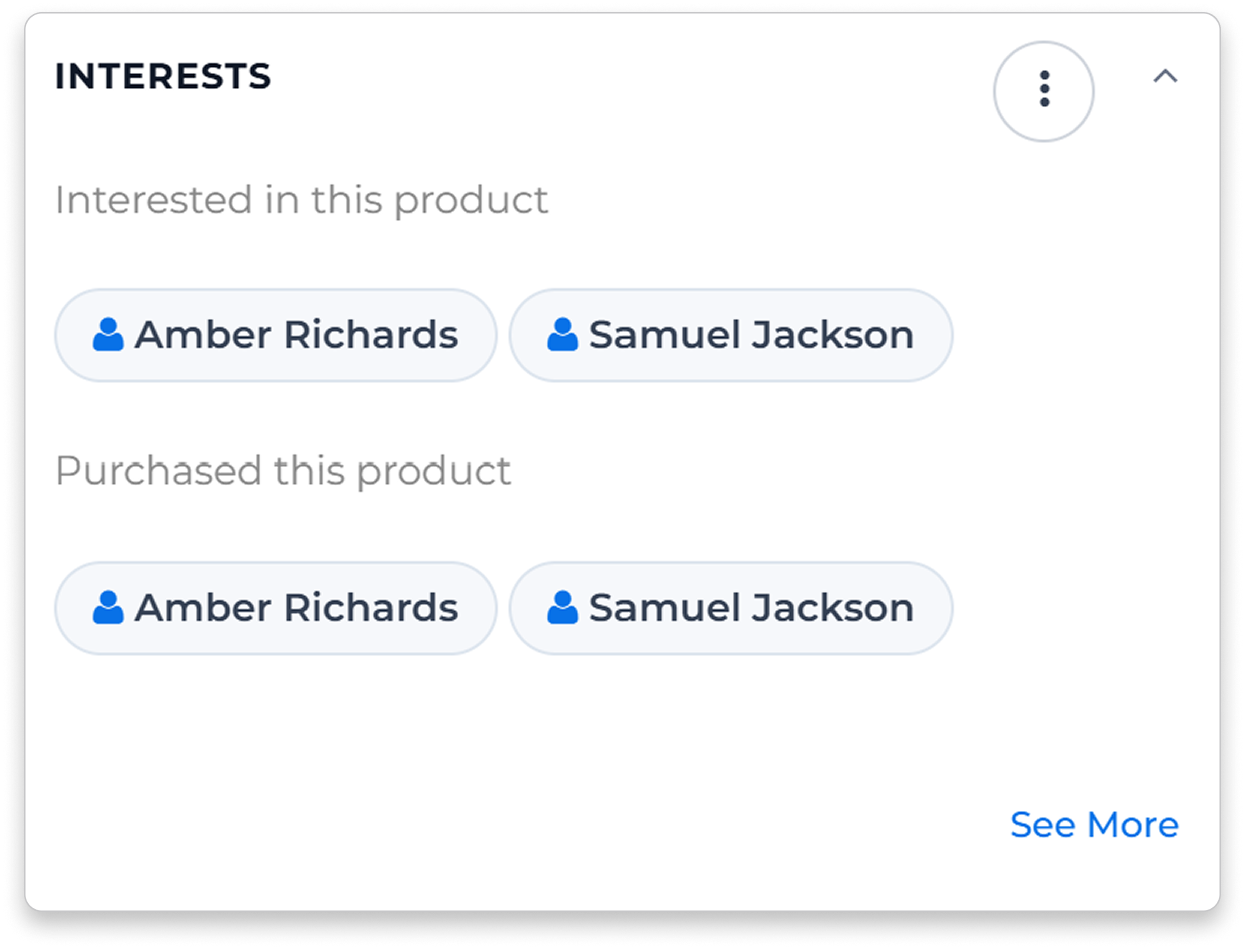
CreamSoda example product-interest panel with contacts associated with product offers and sales

Find buyers while the offer is current

Start with buyers who have bought or considered the product.
Review their earlier offers and purchases, then check the quantity, specification and timing they need now.

Choose the products for each buyer

Use the products linked to each buyer’s history to decide what to include. Select the specifications and packs that fit their current requirements.

Send the details buyers need to reply

Send your selected buyers the product details, quantity and terms. Follow up on their questions, counteroffers and order enquiries.

Keep the buyer history ready for the whole team

Make the history behind each relationship available when another broker takes over.
Keep offers, deals, notes and conversations together, so colleagues can pick up where the last discussion ended.

Check what was discussed before calling

See the products, specifications and terms from earlier offers and deals before making your next proposal.

Keep ownership and follow-up visible

Assign an owner and add colleagues as followers, so the team knows who is handling the account and can find the background.
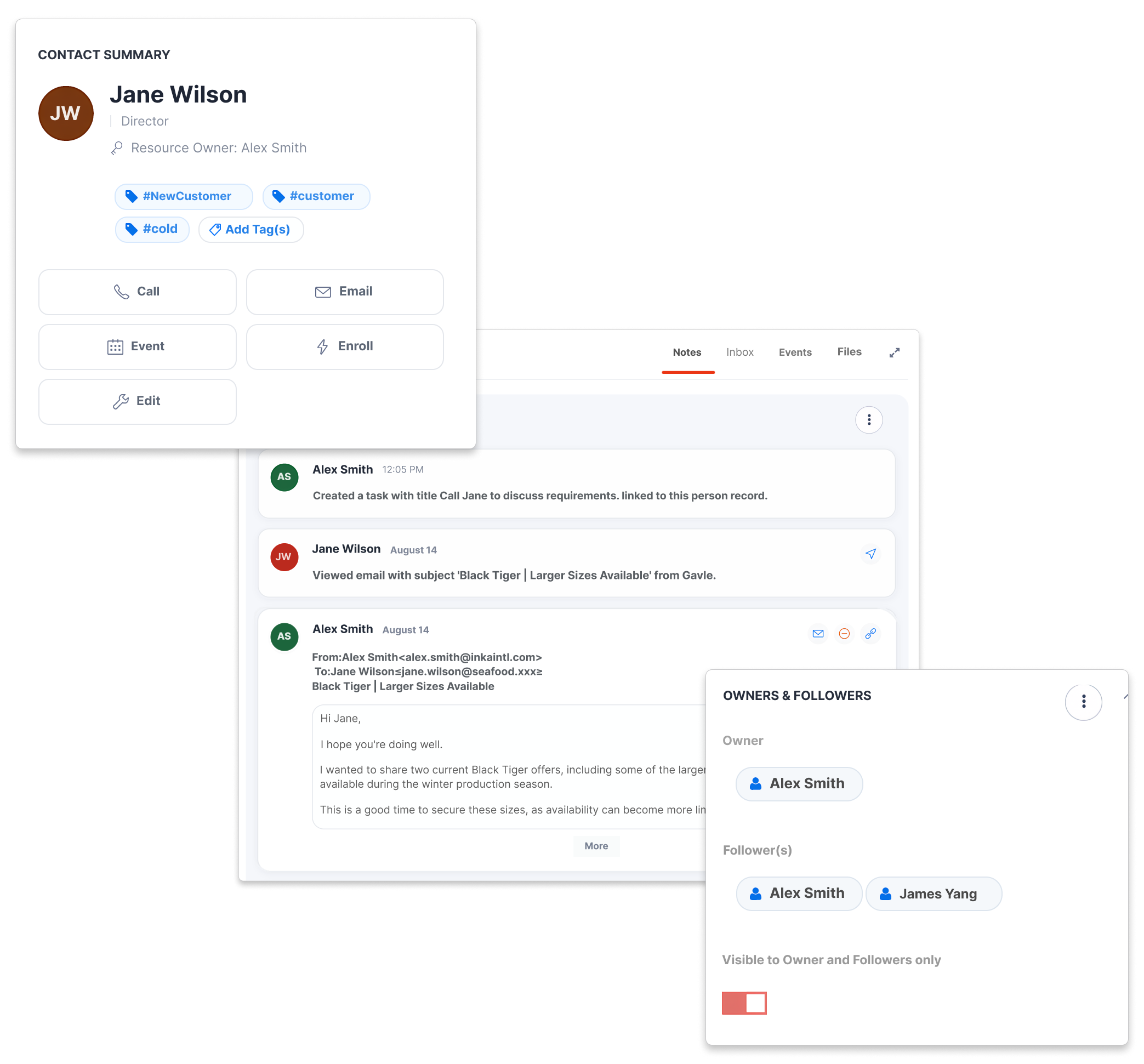
CreamSoda example contact record with an offer email, activity and account owners
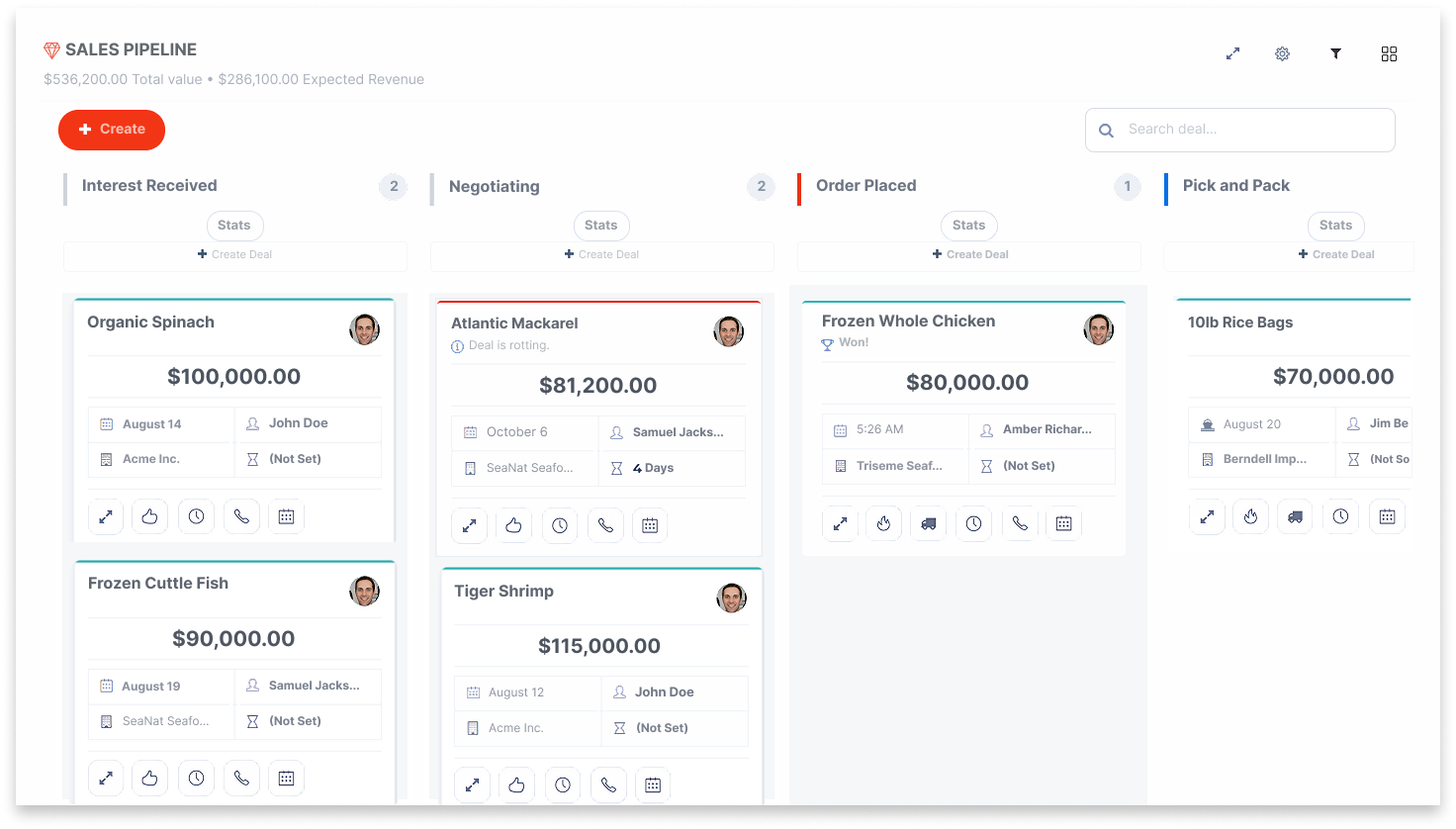
CreamSoda example sales pipeline showing stages for seafood product deals

Keep open quotations and replies in view

A specification question, a counteroffer and a reorder each need a different response.
Next Best Actions shows a suggested follow-up and the reason behind it, using recorded buyer activity and purchase history.

Use stages that match your deal flow

Track each opportunity through the steps your team actually follows, with the right owner and expected close date.

Act on the suggestion

Create a task or send an email, then update the action’s status as the discussion progresses. Purchase-based suggestions use sufficient relevant history; enquiry and reply suggestions use recorded customer activity.

Coordinate supplier and buyer follow-up

Give the next confirmation or customer update a clear owner.
Set up tasks and buyer emails around deal-stage changes, using the terms and dates your team records.

Set up tasks for each handoff

Set up a stage change to create a task to check availability, answer a buyer question or confirm a delivery date. Assign the colleague responsible.

Keep both sides informed

Set up buyer emails around recorded deal stages. Keep supplier and buyer conversations available with the current terms and details.
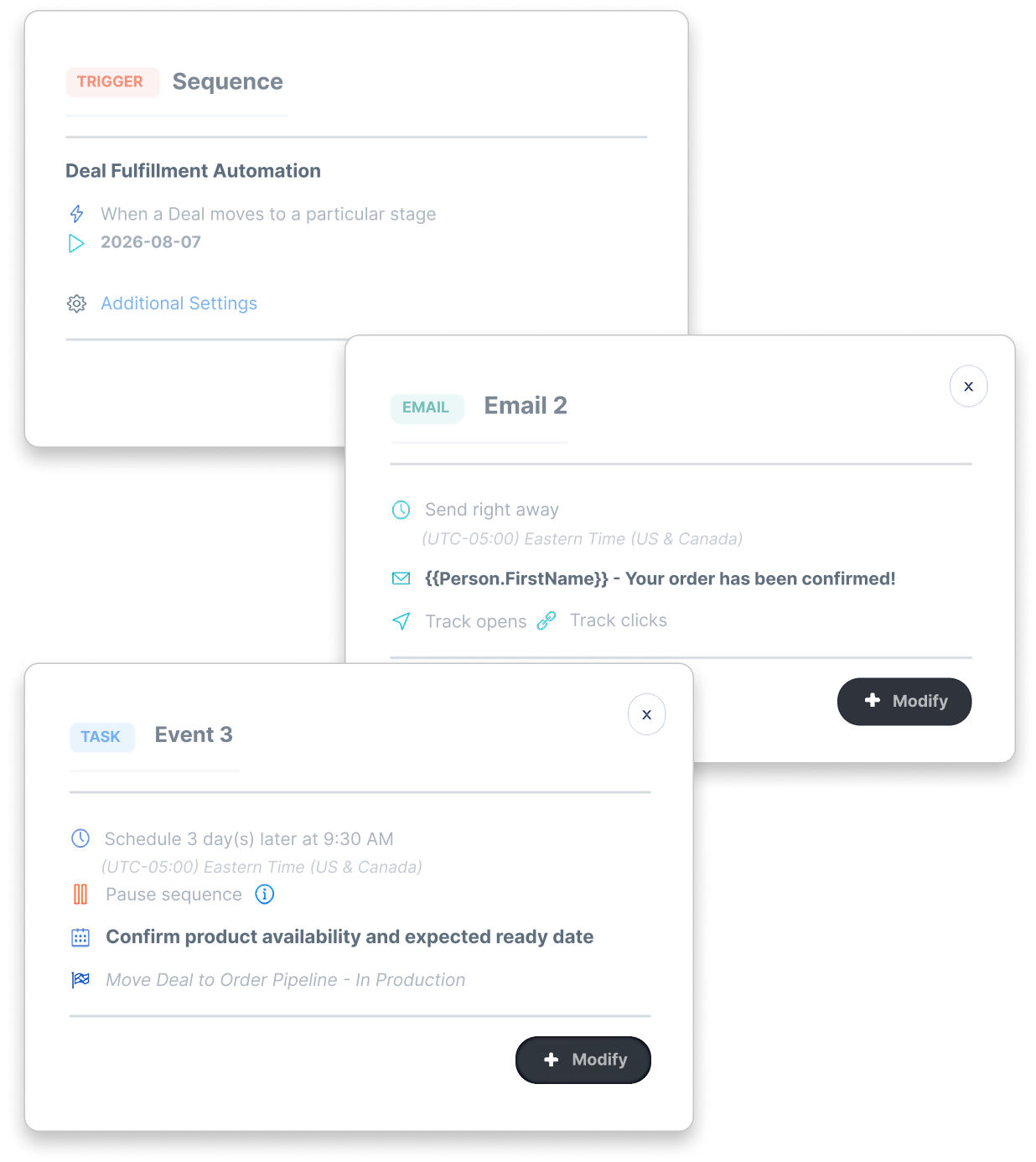
Example configured CreamSoda deal-stage workflow with a customer email and a follow-up task
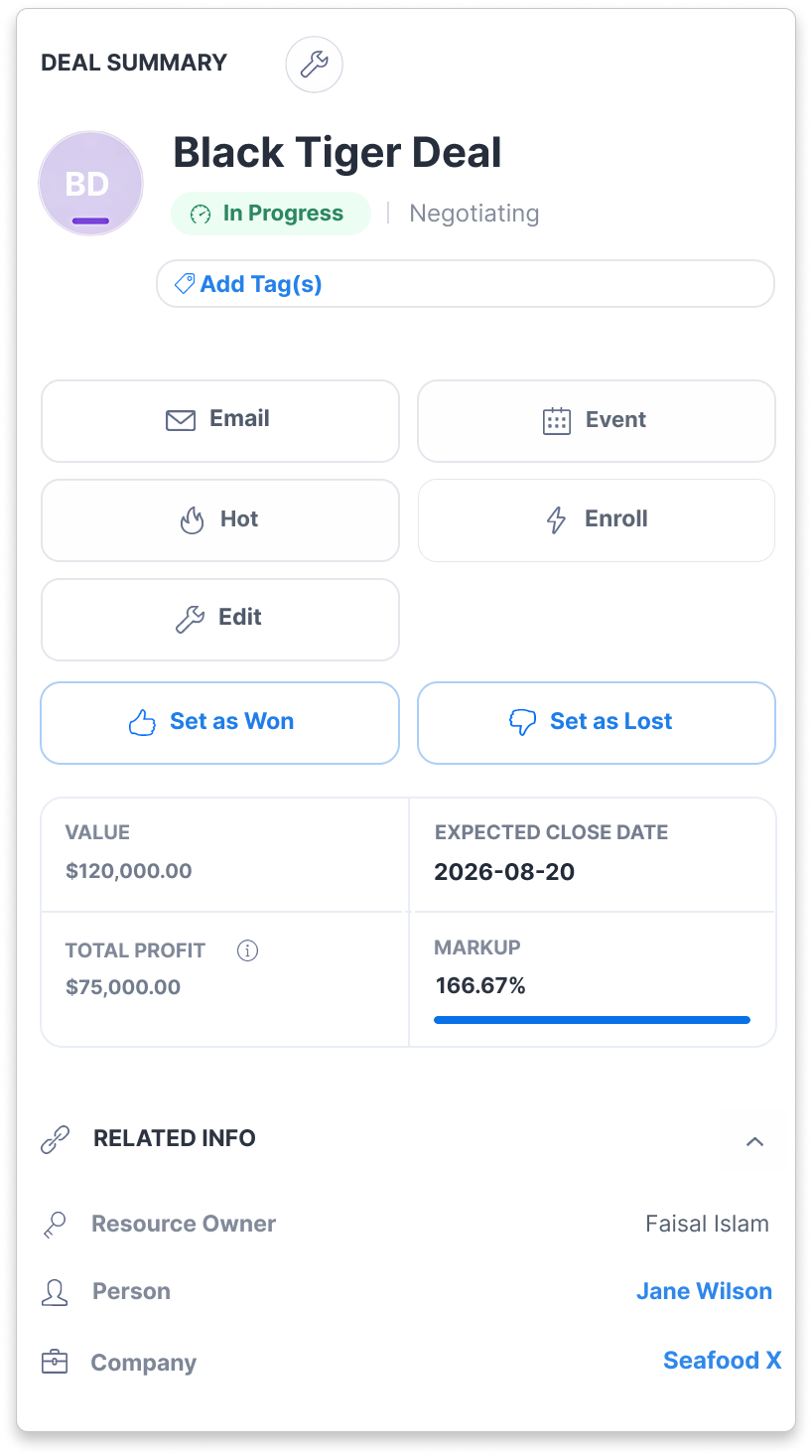
CreamSoda example deal summary showing value, expected profit and markup

See what each deal is expected to earn

Keep deal value and itemized costs in view as the terms change.
Review expected profit from the value and costs you record, with claims and invoice-payment status available for follow-up.

Review costs before the deal closes

See the itemized costs behind the expected-profit calculation. Update the figures as quantities, prices and terms are agreed.

Follow up on claims and payments

Keep claims and invoice-payment status with the deal, so the team can follow up on unresolved issues after delivery.

Compare supplier offers against what buyers need

Look at the price alongside the specification, quantity and timing.
Compare the supplier quotes you have received, then use buyer conversations to decide which offer to pursue.

Compare the details that affect the trade

Compare received offers for the same product using compatible quantity units. Review pack details, price, currency and terms together.

Check current demand with past product buyers

Find contacts linked to past offers and purchases of the product. Ask suitable buyers what they need now and keep their answers with the opportunity.
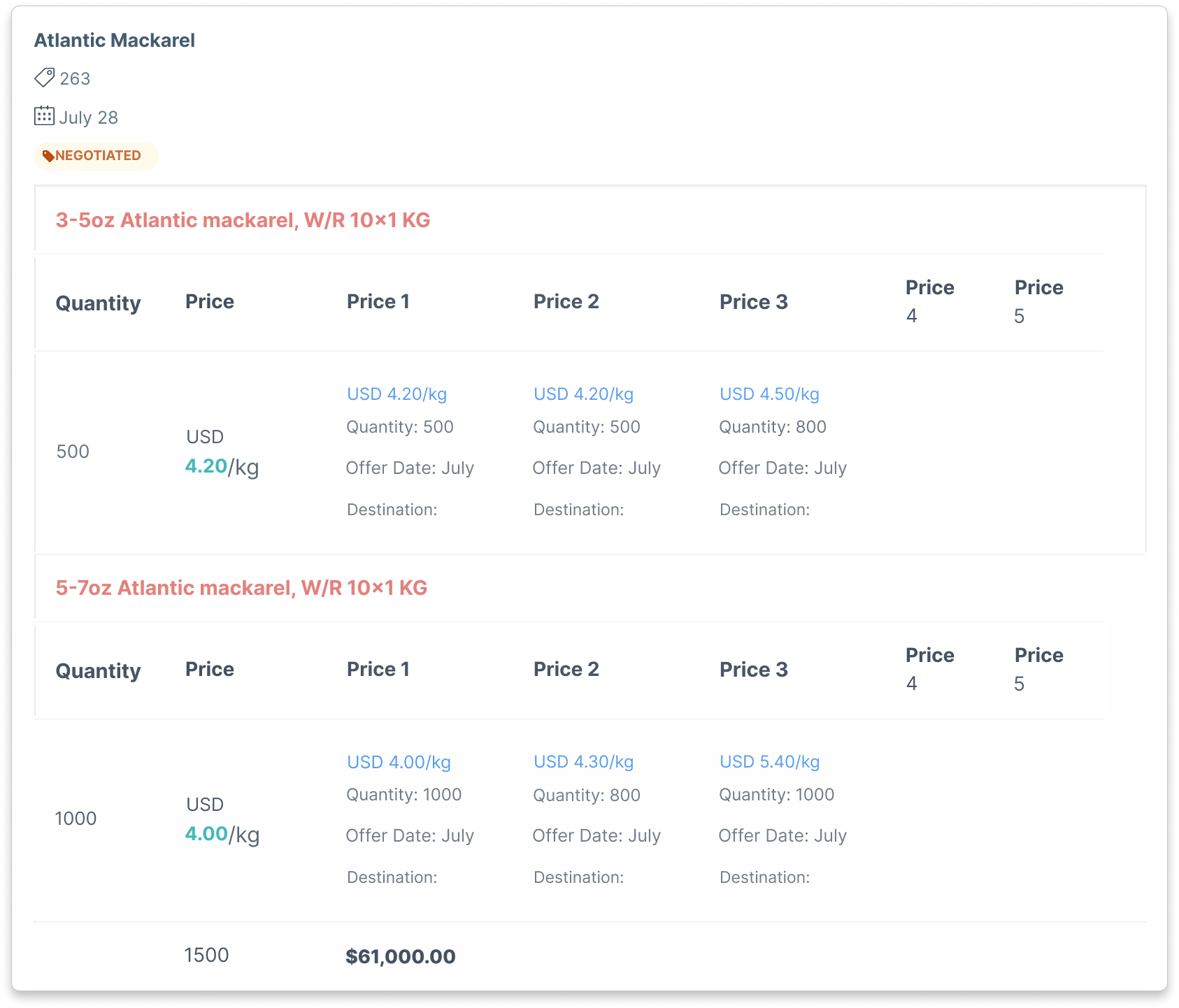
CreamSoda example Atlantic mackerel comparison showing recorded supplier prices, quantities and USD pricing per kilogram

Frequently Asked Questions

How CreamSoda helps trade agents and brokers connect offers with buyers.
Is CreamSoda suitable for independent brokers and agency teams?
keyboard_arrow_down

Yes. CreamSoda is for independent agents and agencies trading physical products with business buyers. It brings supplier offers, buyer history, quotations and sales follow-up into one CRM.

How can colleagues continue a buyer relationship?
keyboard_arrow_down

Colleagues with access to the account can review contacts, earlier offers, deals and conversations before replying. Shared history and a clear account owner make it easier to continue the relationship when another broker takes over.

How do we choose buyers for a supplier offer?
keyboard_arrow_down

See contacts linked to the offer’s products through earlier offers and purchases. Check each buyer’s current requirements, then choose who to contact and which products to propose.

What should we bring to a demo?
keyboard_arrow_down

Bring a supplier offer and tell us how you choose buyers and follow up today. We’ll walk through product-related contacts, buyer history, offer comparison and next steps using your agency’s workflow.

Can we track costs, claims, payments and expected profit?
keyboard_arrow_down

Yes. Record deal costs and review calculated profit, with claims and invoice-payment status available for follow-up. Claims track problems and their assigned value. Add a claim amount to the deal’s Costs section if you want it included in profit.

We use cookies to improve your experience. Manage your preferences or accept to continue.

Reject Preferences Accept