CreamSoda
Pricing
Resources
Pricing

CRM for manufacturers with repeat B2B sales

Give your customers more reasons to order again

Sell more of your product range to the customers you already serve. CreamSoda helps manufacturers spot reorders, missing regular products and cross-sell opportunities, then follow through on the next offer.
PIPEDA logoGDPR logoCAN-SPAM logoCASL logo
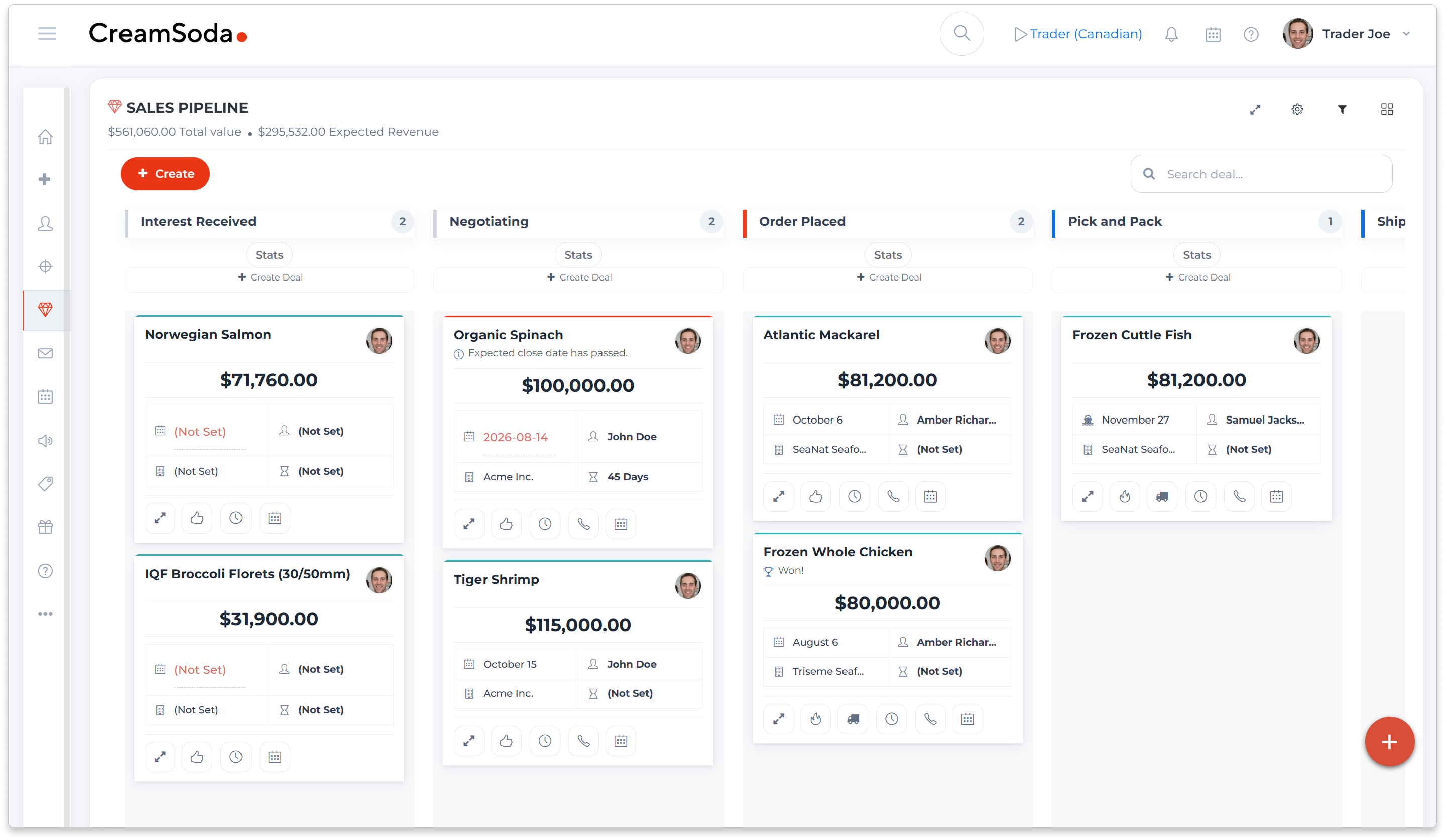
CreamSoda example product-sales pipeline showing quotation and preparation stages

Help reps sell more of your product range

Spot repeat-order opportunities

Use buying history to spot reorders, products that have gone quiet and other lines worth discussing.

Put new lines in front of the right buyers

Choose customers using their product history, then send an offer with the details they need.

Keep customer history with the team

See contacts, conversations, product history and open deals together, including when another rep takes over.

Know who needs a follow-up

See which enquiries, replies and purchase patterns need attention, with a reason for each suggested action.

Keep promises after the order

Set up tasks for customer confirmations and order handoffs as the deal moves through its stages.

See costs, profit and payment status

Review recorded costs and expected profit alongside claims and invoice-payment status.

Work alongside your production tools

Manage customer sales and follow-up alongside the systems you use for production and accounting.
One account may need a reorder. Another could buy more of your range.
One customer buys cartons regularly but has never ordered your protective packaging. Another has stopped buying a usual size. Buying history helps reps see where to start, then ask what the customer needs now.
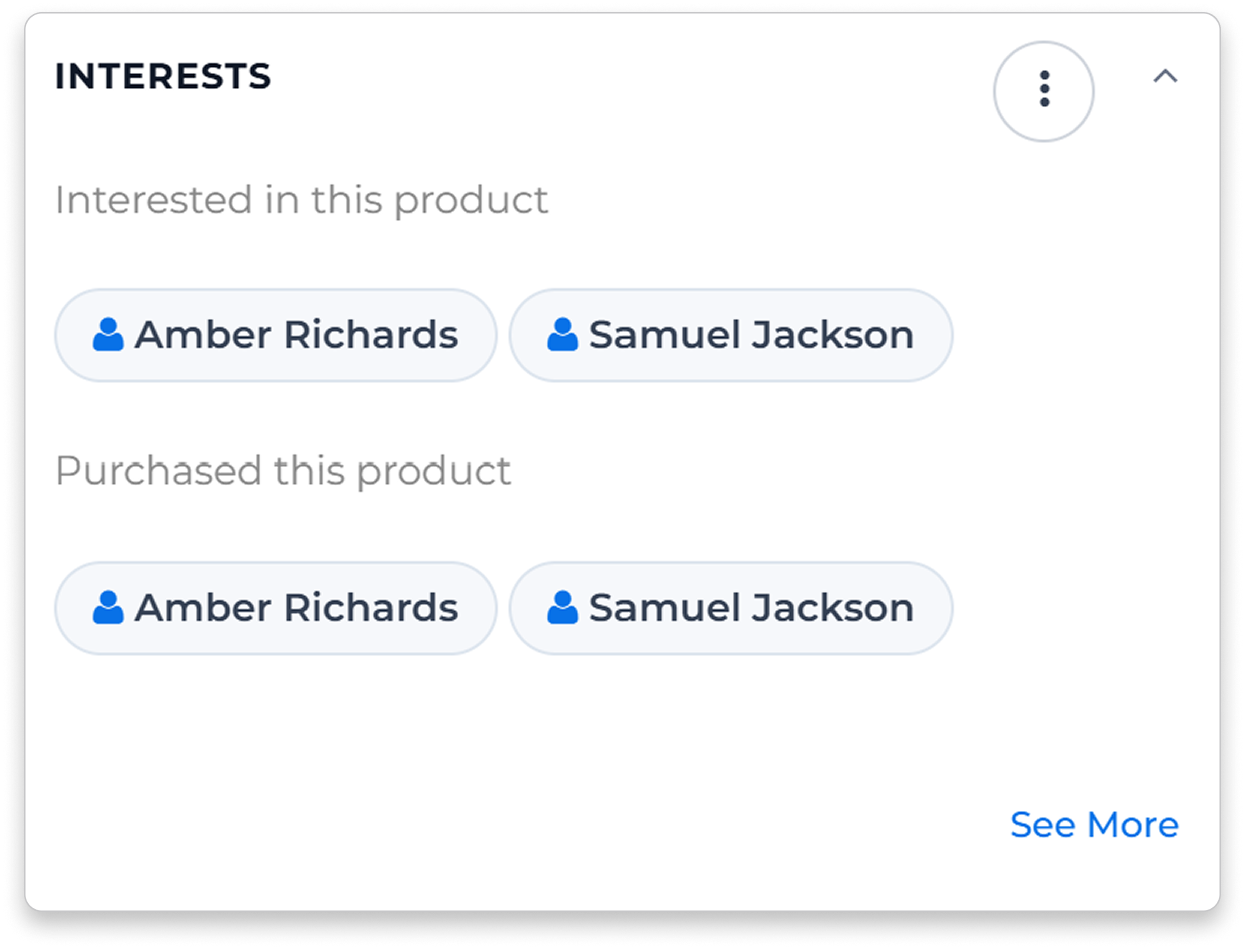
CreamSoda example product-interest panel with contacts associated with product offers and sales

Find the next sale inside your customer base

Give reps a starting point for the next reorder, a missing product or another line the customer could use.

See what they bought or asked about

Review products from earlier offers and deals before calling. Purchase Insights can also suggest another line based on what customers who buy the same products also purchase.

Notice when a regular product goes quiet

With a consistent purchase pattern, Next Best Actions can flag an overdue product while the customer keeps buying other items. Your rep can ask what changed and work on the next order.

Put your new line in front of likely buyers

Use what customers already buy or ask about to choose who should hear about a new product.

Choose customers for the new line

Start with customers linked to related products, then check whether the new line fits their requirements. Choose the recipients and product details for your offer.

Continue the conversation after the offer

Send a product email to the buyers you select. Use their replies, questions and recorded email activity to plan the next conversation.
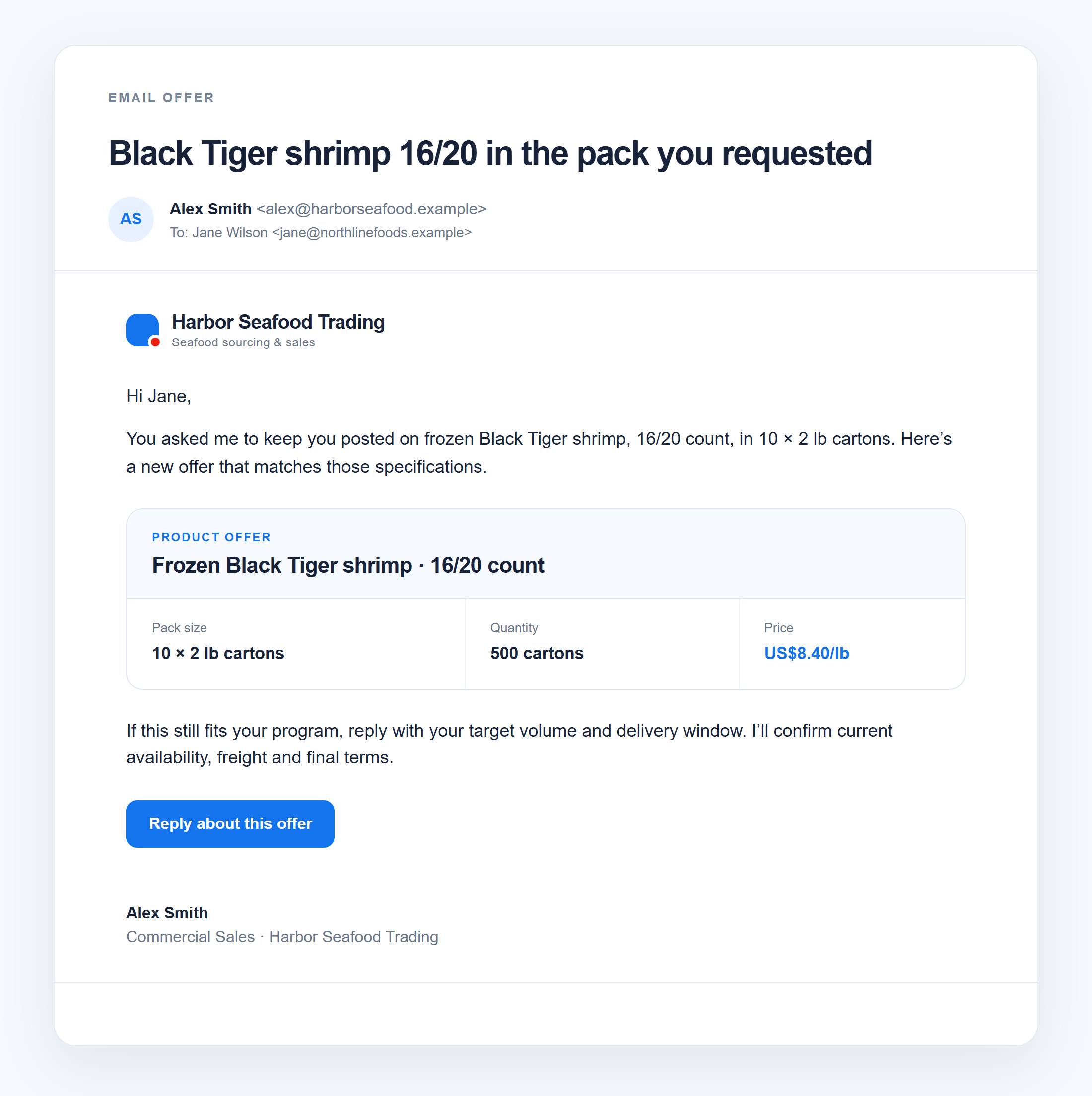
Example product-offer email presenting Black Tiger shrimp specifications and commercial terms
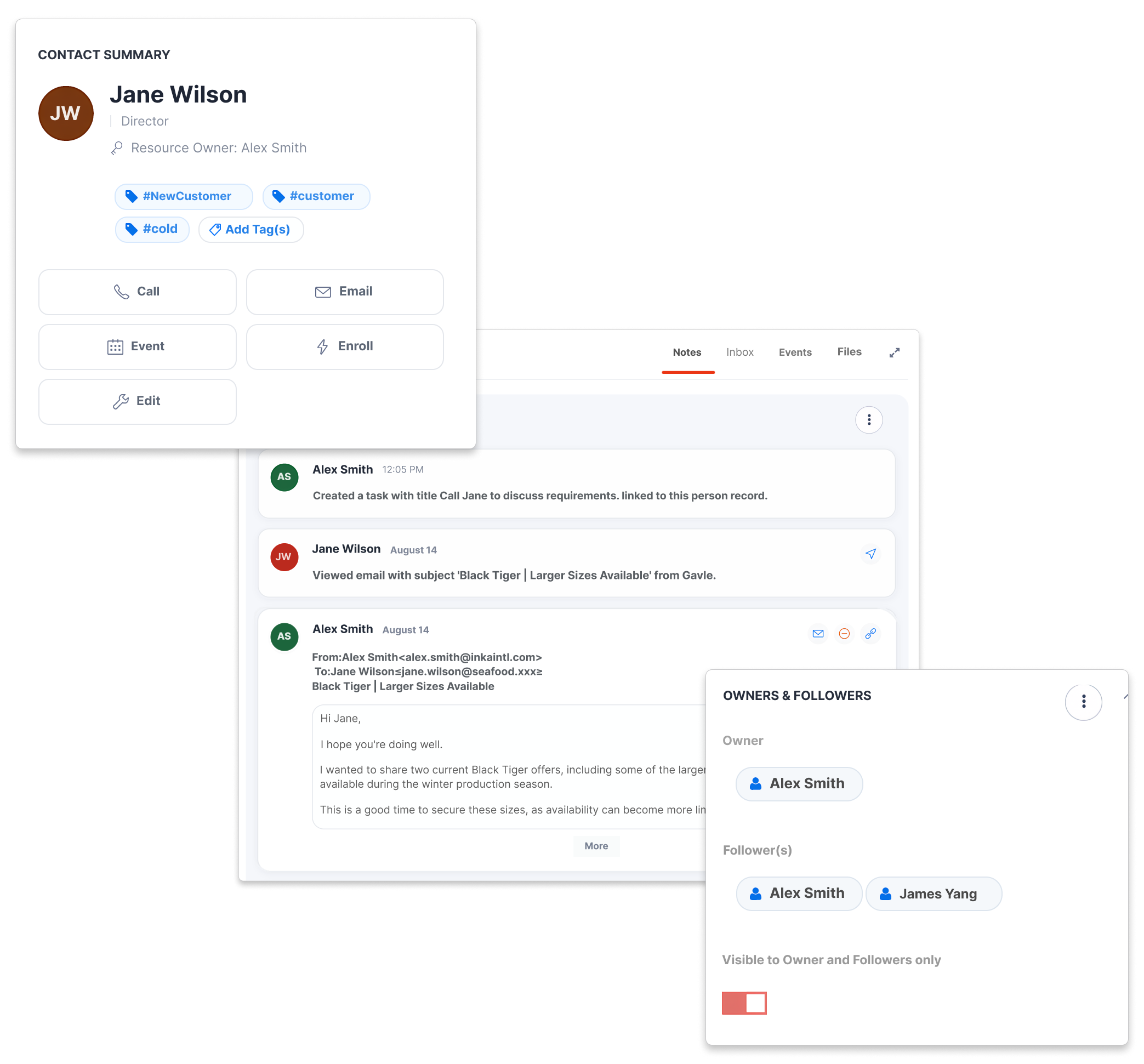
CreamSoda example contact record with an offer email, activity and account owners

Give reps the customer history before they call

See what the customer bought, asked about and was quoted before starting the next conversation. Keep that history available when another colleague picks up the account.

See earlier offers and conversations

Review contacts, notes, product interests, prior deals and email activity in the customer record.

Make the next step someone’s responsibility

Assign an owner and add colleagues as followers, so the team knows who is handling the account and can find the background.

Keep repeat sales moving from call to quotation

A new enquiry, an unanswered reply and an upcoming reorder each need a different response. Next Best Actions shows the suggested follow-up and why it matters, with the customer’s history close at hand.

Keep open quotations in view

Track each recorded deal’s stage, value, owner and linked products, so reps can see which quotations need attention.

Act on the suggestion

Create a task or send an email from Next Best Actions. Update the action’s status as the conversation progresses, so colleagues can see what still needs attention.
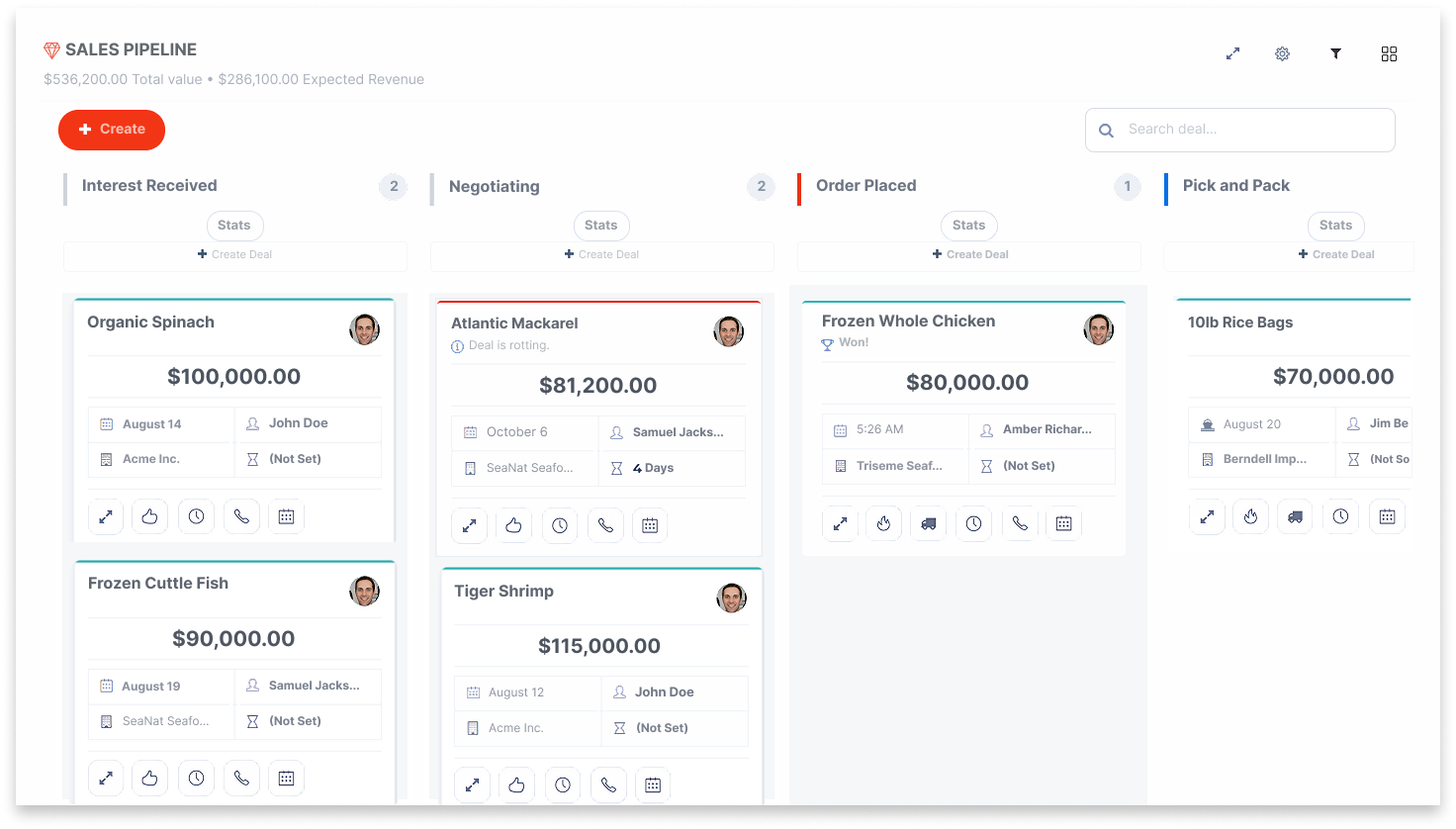
CreamSoda example sales pipeline showing stages for seafood product deals
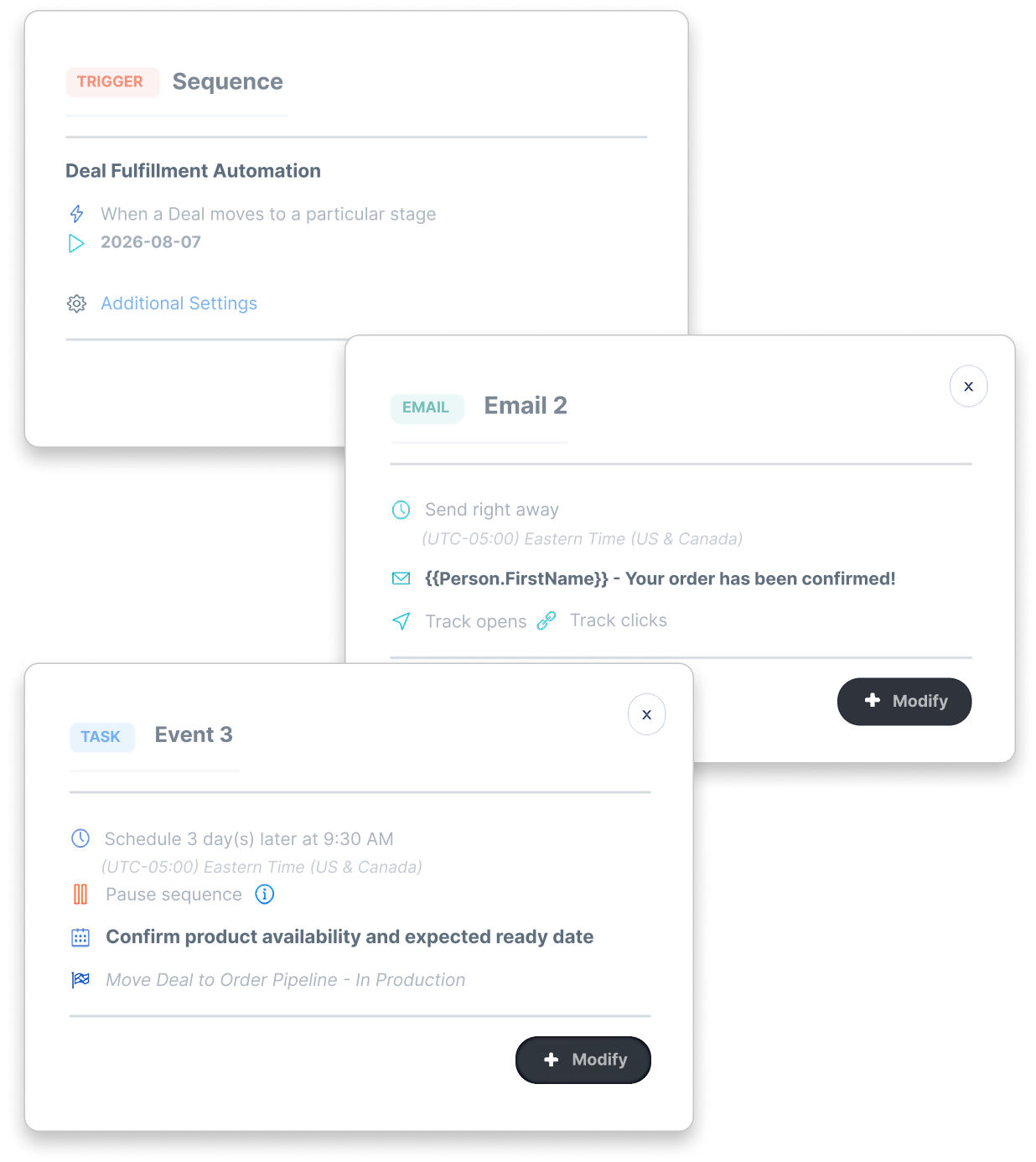
Example configured CreamSoda deal-stage workflow with a customer email and a follow-up task

Keep the order moving after the customer says yes

Record preparation and delivery stages, keep customer updates with the deal and give each handoff a clear owner.

Assign the handoff task

Set up tasks when a deal reaches a stage, with a colleague responsible for the next confirmation or customer question.

Keep the buyer updated

Set up customer emails around the deal stages your team maintains, using the order and delivery details you record.

See what each deal is expected to earn

Review deal value, recorded costs and expected profit as the quotation develops. Keep claims and invoice-payment status available for follow-up after the order.

See expected profit by deal

See deal value, itemized costs and expected profit together. Update the costs as you confirm the details of the sale.

Follow up on claims and payments

Keep claims and invoice-payment status with the deal, so the team can see which issues still need an answer.
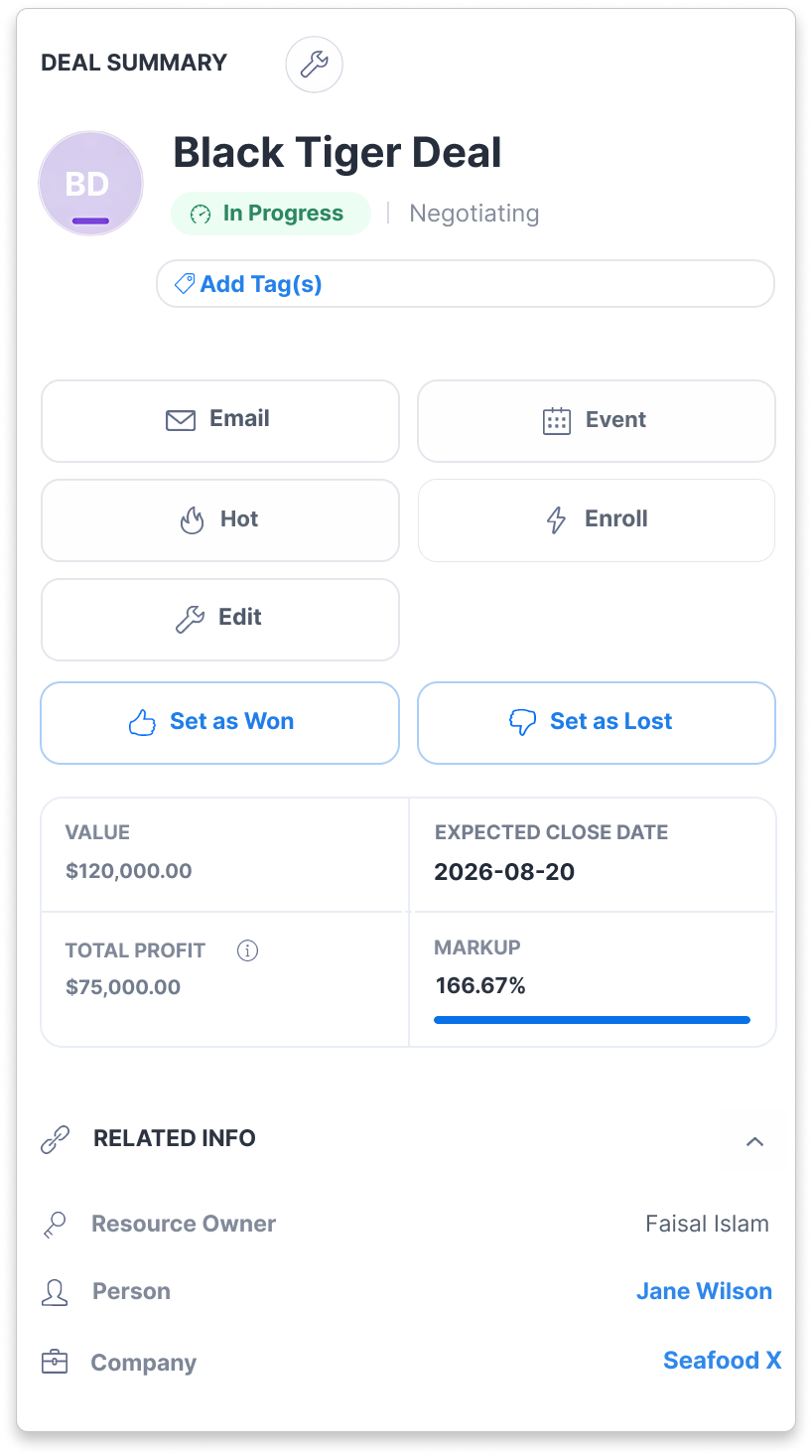
CreamSoda example deal summary showing value, expected profit and markup

Frequently Asked Questions

How CreamSoda helps manufacturers grow repeat B2B sales.
What kind of manufacturer is CreamSoda for?
keyboard_arrow_down

CreamSoda is built for manufacturers selling a standard product range to business customers through account managers, offers and quotations. It brings repeat-order opportunities, customer history and sales follow-up into one CRM.

How does CreamSoda help us win more repeat orders?
keyboard_arrow_down

With enough purchase history, Next Best Actions can suggest when to discuss a reorder, flag a regular product that has stopped selling and identify cross-sell opportunities. Each suggestion explains why it matters. Your rep can check the customer history, then create a task or send an email.

Can our team send product-specific email offers?
keyboard_arrow_down

Yes. Use product and customer history to choose a starting audience, then select the buyers and product details for each offer. Send the email and keep the response available for follow-up.

What should we bring to a demo?
keyboard_arrow_down

Bring a regular customer account or a product quotation and show us how you follow up today. We’ll walk through customer history, repeat-sales suggestions and the next offer with your team’s workflow in mind.

Do we need an ERP to use CreamSoda?
keyboard_arrow_down

No. You can use CreamSoda for customer sales and follow-up whether or not you have an ERP. It works alongside the tools you use for production, stock and accounting.

We use cookies to improve your experience. Manage your preferences or accept to continue.

Reject Preferences Accept