CreamSoda
Pricing
Resources
Pricing

CRM with email marketing for B2B product sales

Give buyers a useful reason to reply.

Send relevant product offers to buyers using product interest and past sales. Choose the products and selling prices, personalize the message and keep follow-up with the customer record.

Send product offers that fit the buyer

Find buyers for the products

Use product interest and past sales to choose whom to contact.

Reuse your buyer lists

Use saved search criteria or a list of contacts you selected.

Prepare offers faster

Start with a template, then update the products, prices and terms.

Make each email personal

Add the buyer's name, company and other supported fields to the subject and message.

Be ready for the next call

See earlier offers, deals and conversations before following up.

See how buyers respond

Review replies and tracked email activity to plan the next step.

Give follow-up an owner

See who owns the account and who is handling the next task.
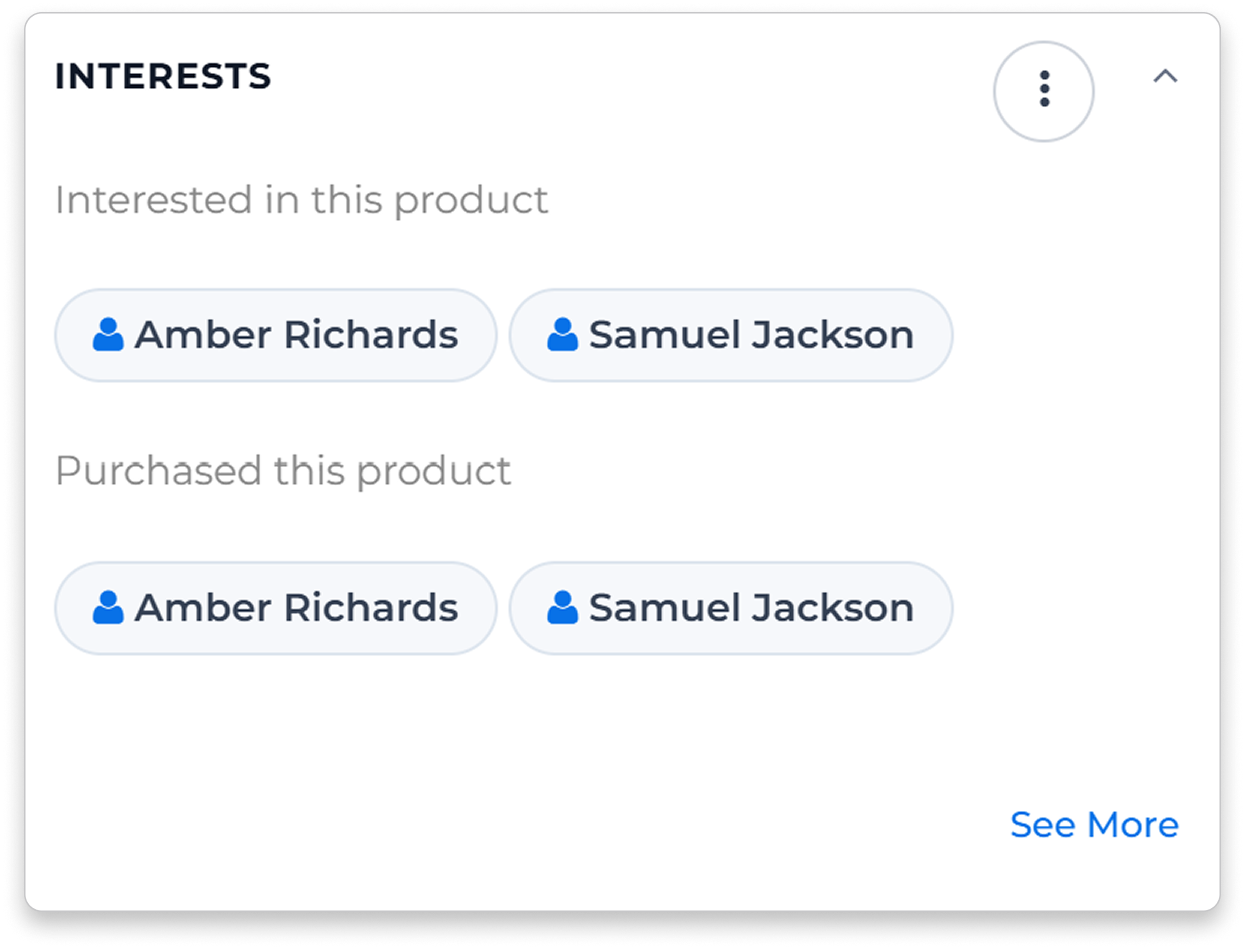
Example product-interest panel showing contacts linked to products and successful deals

Find buyers for your next product offer

A new offer is ready. Which customers should receive it?
See contacts linked to product interest and successful sales. Choose the buyers and product lines that fit before sending.

Start with product interest

See who showed interest in the product and ask what they need now.

Reconnect with past buyers

Find contacts linked to past sales of products in the offer.

Revisit an earlier quote

A new price or pack can give you a reason to contact a buyer again. Check the earlier deal before sending.

Send relevant offers without rewriting every email

Are reps copying the same products and terms into each email?
Choose your buyer list, product lines and selling prices. Reuse an email template and add customer details with merge fields.

Keep the audience current

Use a dynamic list to find contacts that match your saved CRM search criteria.

Keep a list for repeat offers

Save selected contacts in a static list, ready for the next relevant offer.

Reuse the email layout

Reuse a template for product offers or customer updates, then adapt the message.

Personalize the subject and message

Add supported fields such as the contact's name and company.

Example Atlantic mackerel offer with product pack, quantity, price and commercial status
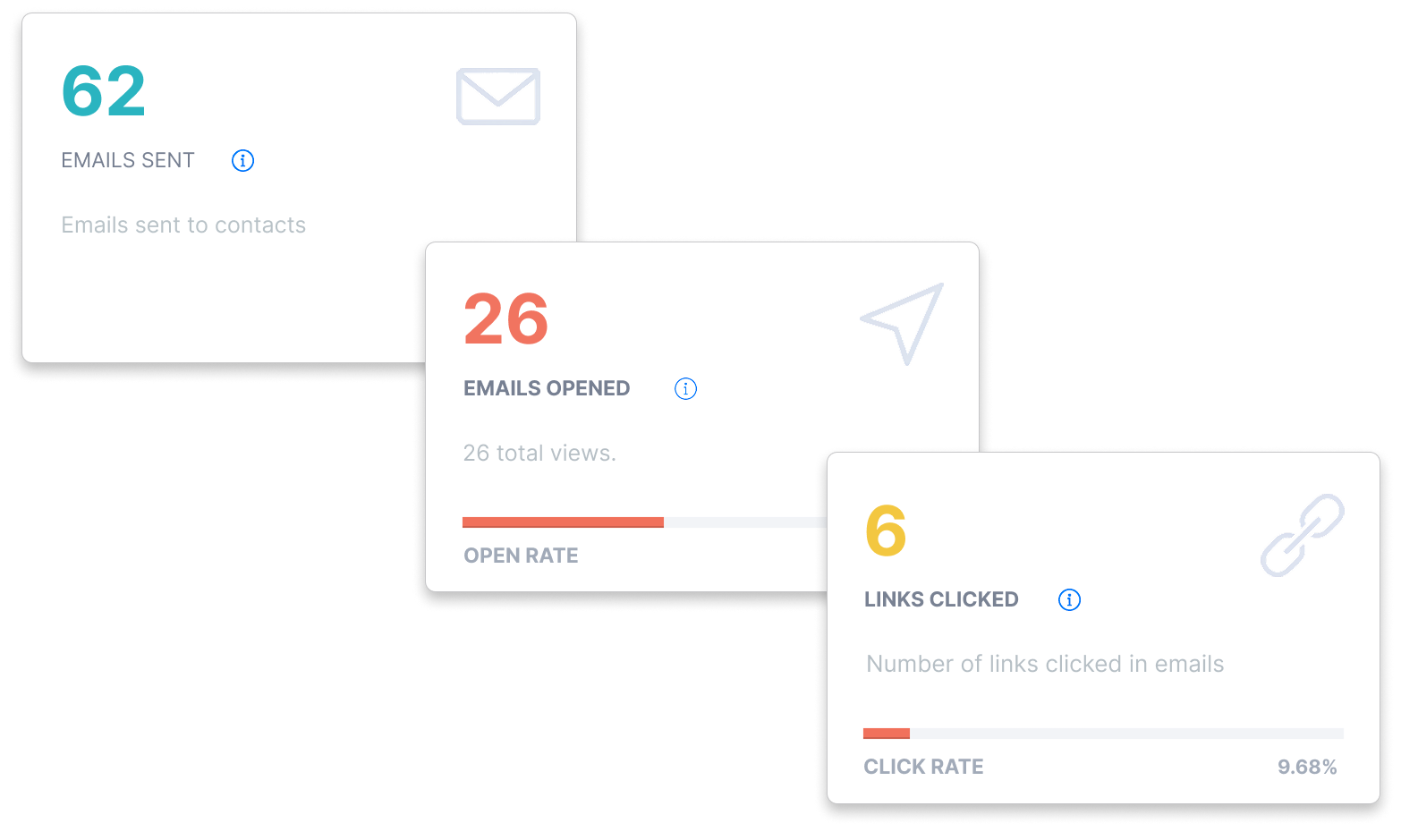
Illustrative email activity counts for sent messages, recorded opens and link clicks

Follow up with the customer's reply in view

The offer is sent. Who needs a follow-up?
Review the buyer's reply alongside their account history. Check the products, quantities and timing they need, then decide on the next call or email.

Review the account before calling

See earlier offers, sales and conversations before contacting the buyer.

Review email activity

See sent messages, opens and clicks where tracking is enabled.

Act on the buyer's reply

Use their reply to confirm the products, quantities and timing to offer.

Know who follows up

Keep the account owner and next task visible to the team.
Help a colleague pick up the conversation

Can a colleague see what the buyer already asked for?
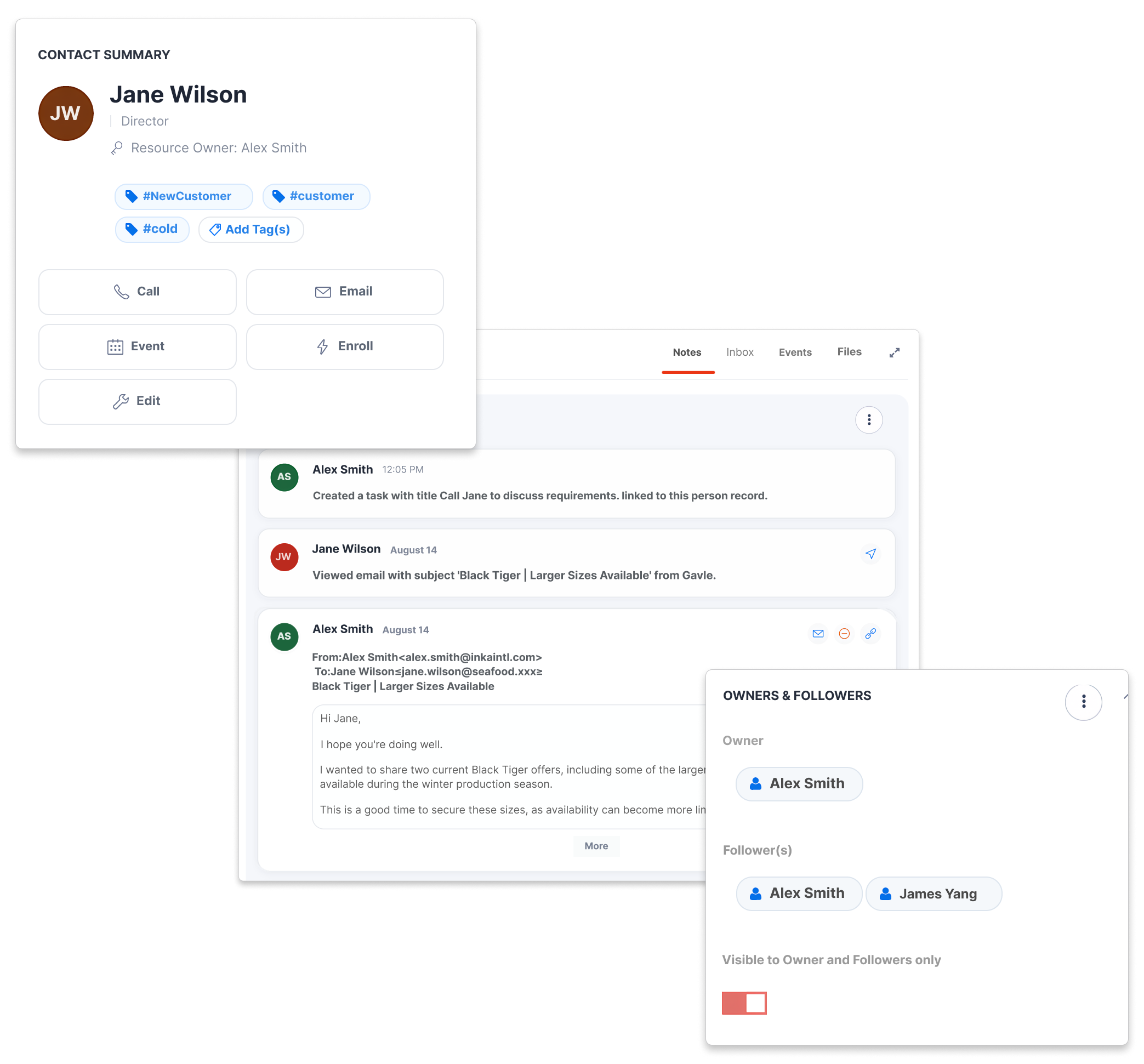
Keep offers, deals, emails and notes with the customer record. A colleague can see the products, quantities and timing already discussed before preparing a reply.

See what you offered

Check earlier product offers and deals before preparing a new proposal.

See what needs an answer

Review the customer's message and requirements before sending another offer.

Continue where the team left off

Read the earlier emails and notes so the customer can continue the conversation.

Example customer email and note discussing a frozen broccoli requirement
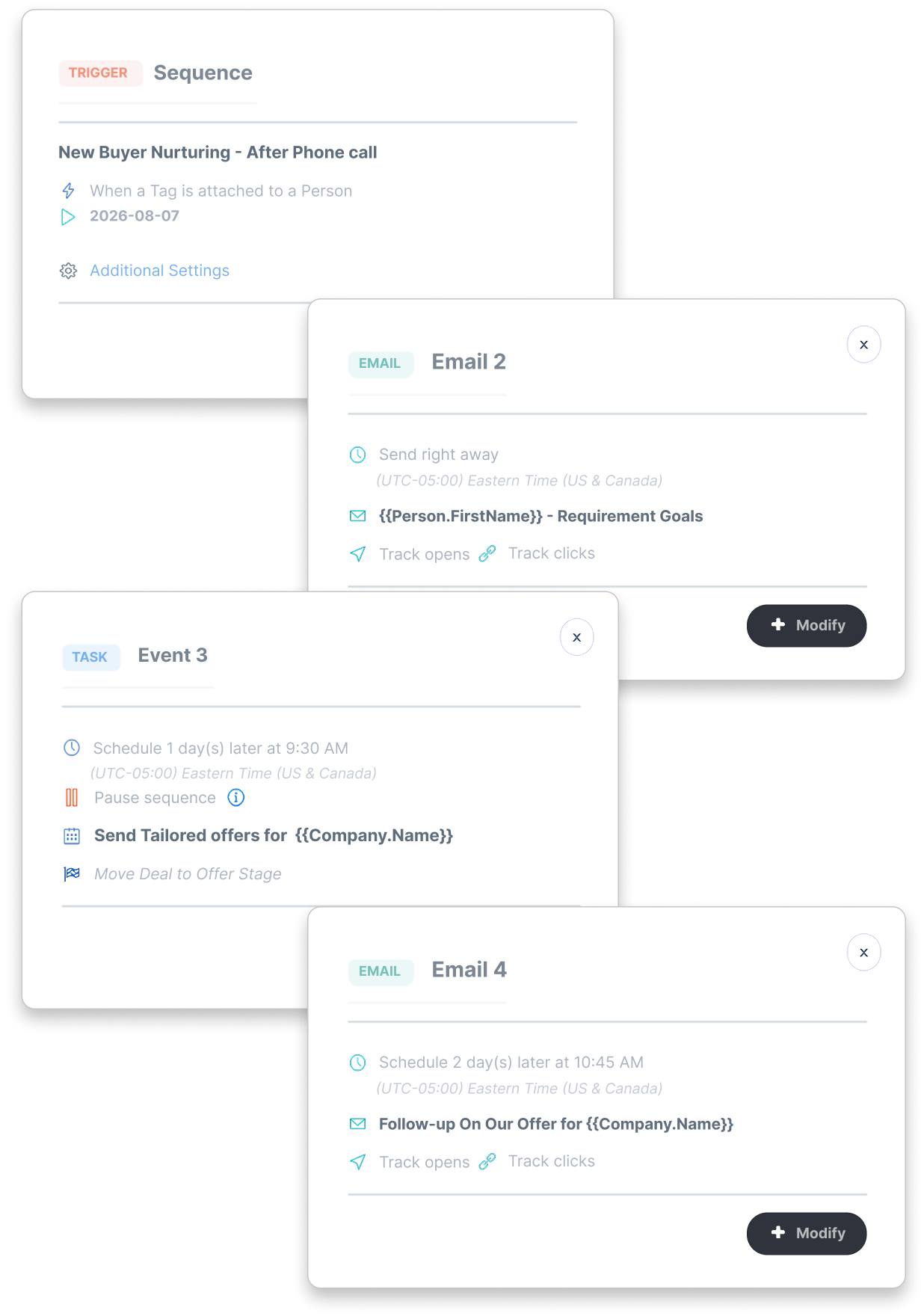
Example configured follow-up sequence with customer emails, merge fields and a salesperson task

Plan the follow-up before the offer goes quiet

Who will contact the buyer after the offer is sent?
Set up email sequences and assigned tasks for your sales process. Plan when to send the next message and when a salesperson should call or prepare a tailored offer.

Choose when follow-up starts

Use a supported trigger, such as a contact tag, to start the sequence you configured.

Assign the next task

Give a salesperson a task to confirm requirements or prepare a tailored offer.

Set the next email's timing

Choose the message, merge fields and timing for each follow-up email.

Explore three product-sales workflows

Business professional reviewing information on a laptop in an office

Trade agents: give the offer a buyer audience

Use earlier offers and deals to choose whom to approach about a supplier opportunity, then keep the buyer’s next question moving.
See the offer-to-buyer workflow
Business professional speaking by phone while reviewing notes and a laptop

Importers: ask buyers before committing to supply

Start requirements conversations with product-related contacts, then assess their answers alongside the supplier quote before buying.
See the buyer-demand workflow
Sales professional on the phone in an office with colleagues nearby

Distributors: pursue the next repeat order

Use successful sales history and useful next actions to choose a relevant account call and keep repeat-product follow-up owned.
See the repeat-sales workflow

CRM email marketing questions

Answers about buyer lists, personalized offers and follow-up.
How are contacts found for a product offer?
keyboard_arrow_down

CreamSoda finds contacts linked to product interest and deals involving products in the offer. A contact can match any included product. Review the buyers and choose the relevant lines before sending.

What is the difference between dynamic and static lists?
keyboard_arrow_down

A dynamic list finds current contacts using saved CRM search criteria. A static list keeps contacts you selected. Review the recipient list and exclusions before sending.

Can we review recipients and test the message before sending?
keyboard_arrow_down

Yes. Review the recipient preview to see who is included and excluded. Send a test to your own email using a sample recipient's details, then check the products, merge fields and sending account.

Can product-offer emails be personalized?
keyboard_arrow_down

Yes. Reuse templates and add name, company and other supported customer fields to the subject and body. Choose the product lines and selling prices for each buyer group.

How does email marketing work with the CRM?
keyboard_arrow_down

Email Offers is part of CreamSoda's CRM with email marketing for B2B product sales. Send offers and customer updates using CRM contacts, then keep follow-up with the account. Sending limits depend on your plan and connected email setup.

We use cookies to improve your experience. Manage your preferences or accept to continue.

Reject Preferences Accept